Key Benefits
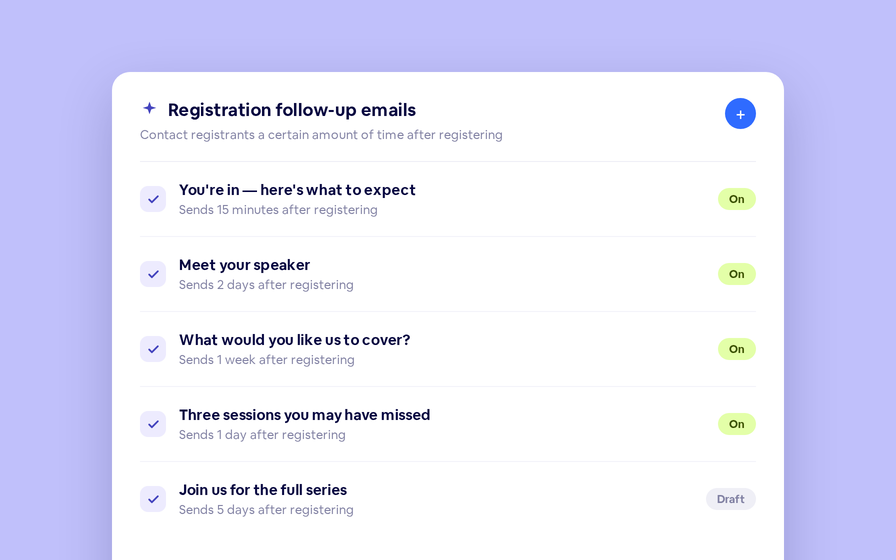
Your BigMarker Home Dashboard now features a centralized Emails page, allowing admins to view, monitor, and edit active emails across all channels, webinars, series, and events from a single location. Skip navigating to the individual email in a specific session just to edit a subject line or reply address, find exactly when your looking for right when you log in.
What’s New
- In the home dashboard you'll fid a dedicated page that lists every email that you have access to as an admin
- Search for specific emails and filter by session type and channel
- Quickly view the performance of each email, and reach the email builder with a single click
How to Use It
- In your logged in Home Dashboard, click Emails in the left-hand panel.
- Browse the list of sessions, series and events with active emails.
- Click a content item to expand and view each email’s stats (sent, opened, clicked).
- Click any individual email to jump directly into the email builder for edits and updates.
FAQ
What emails can I find in this page?
Every email that you send to your registrants and invitees will be shown here, grouped under the session or series it is sending from.
Which BigMarker plans have access to this dashboard?
The email dashboard is available to all BigMarker users.
For full details on managing your emails and leveraging the dashboard: Read the Emails & Invitations guide.