BigMarker News & Updates
Camera Pin
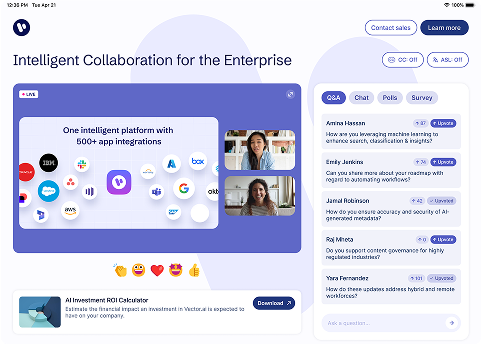
When multiple presenters are on camera, audience views can get cluttered and key speakers can lose the spotlight. With Camera Pin, hosts can now control exactly who appears on screen, creating a cleaner, more professional experience that mirrors high-production broadcasts.
Whether you’re running a global conference, panel discussion, or executive webinar, Camera Pin helps your presenters look their best and your message shine through.
What’s New
With Camera Pin, you can now:
- Spotlight any presenter’s camera to make it appear larger for everyone
- Pin multiple presenters to appear beside shared slides, videos, or screen shares
- Auto-pin all presenter cameras in webinar settings to keep them prioritized over promoted attendees
- Instantly pin or unpin during the event to adapt layouts in real time
Example Use Cases
- Panel Discussions: Keep all panelists visible beside shared slides for a cohesive, broadcast-style view.
- Executive Webinars: Spotlight your CEO or lead speaker while maintaining other presenters in supporting positions.
- Training Sessions: Pin instructor cameras beside content for more personal, instructor-led learning experiences.
- Hybrid Events: Align on-screen views with stage production, ensuring remote audiences see what in-person attendees do.
How to Use It
- During your live webinar, click the three dots on a presenter’s camera.
- Select Manage Camera → Pin for everyone.
- Confirm the camera is pinned by locating the pin icon in the top left corner of the presenter’s box.
- To unpin, click the same icon and choose Unpin for everyone.
Learn More
Explore detailed setup steps and examples in our Knowledge Base
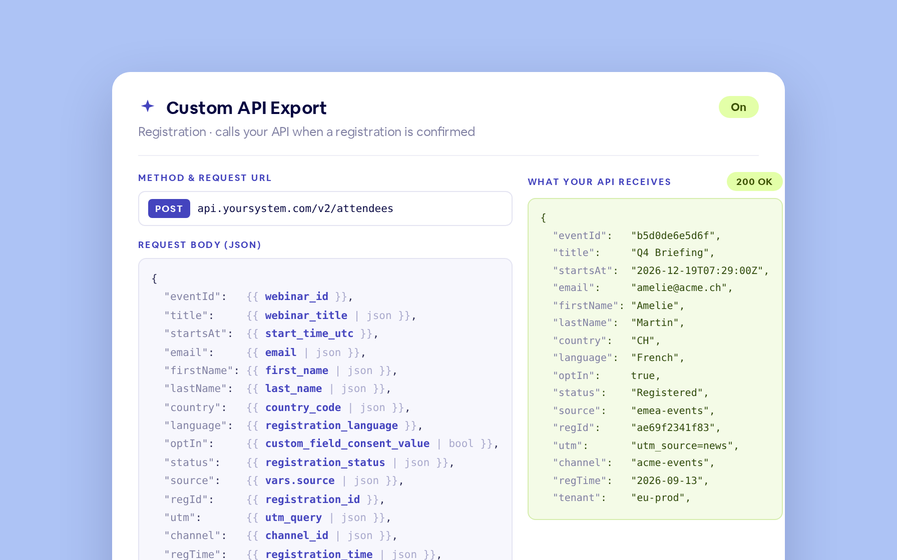
Export to Any System
No connector needed — point a session at your endpoint, write the JSON body, and BigMarker calls it as people register, attend and watch.
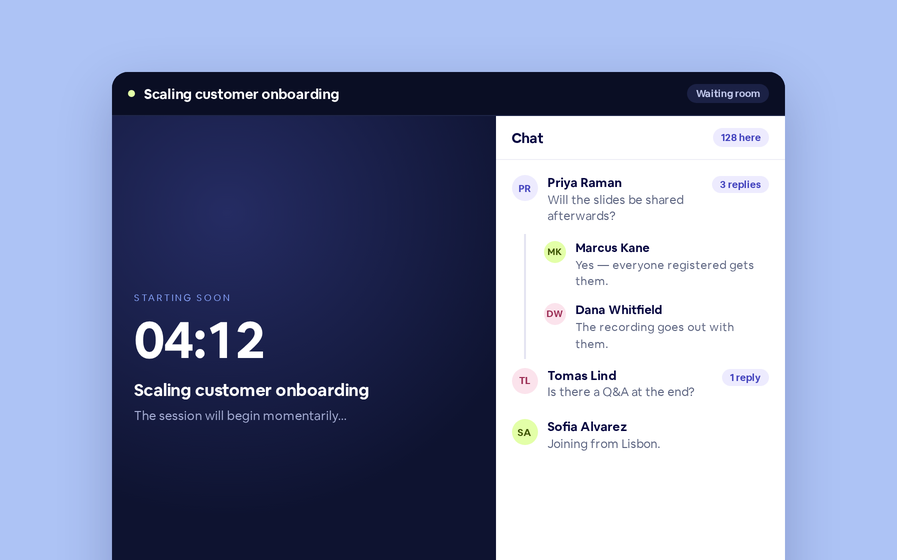
Threaded chat in waiting room
Replies now sit in a thread under the message they answer, so the pre-show conversation stays readable.
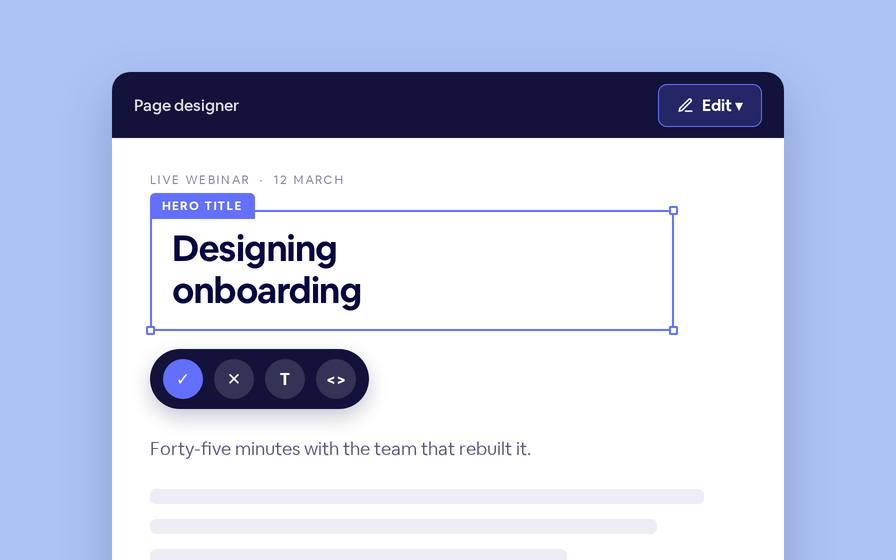
Inline Page Editing
Click any headline, image or block on your landing page and change it right there — no hunting through editor panels.
Preview Custom Page States
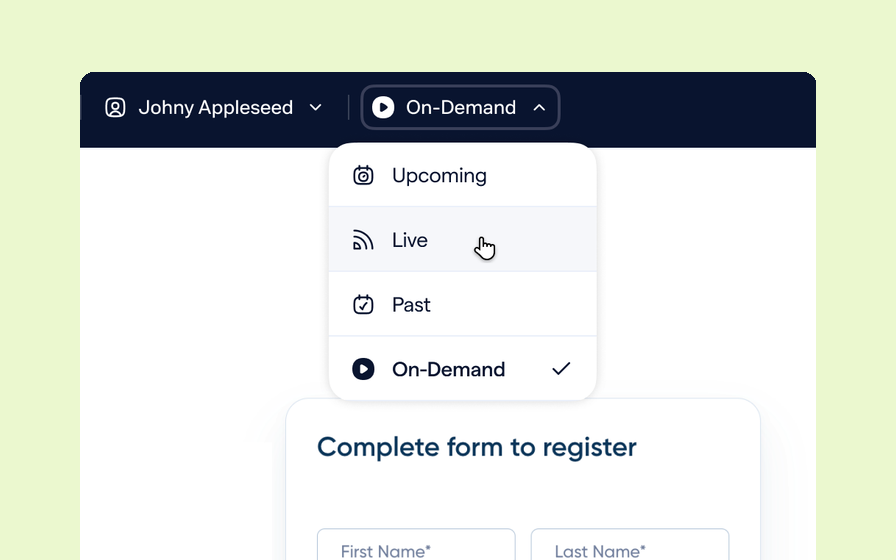
Preview any custom page as a registered viewer, an unregistered visitor or a real registrant, at any point in the event's life.
Quizes in On Demand Video
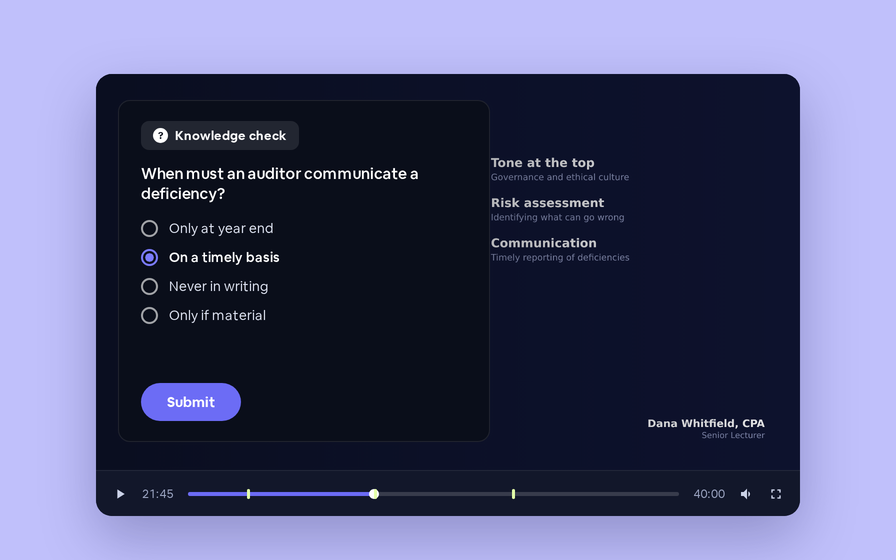
Ask questions inside your recordings and see who actually understood, not just who pressed play.
Follow Up Emails
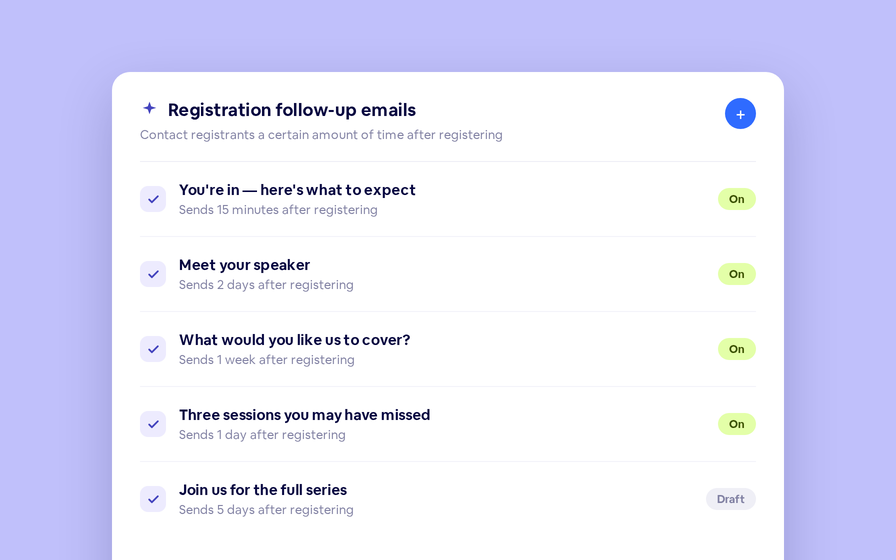
Keep in touch with your registrants immediately after they register.
Introducing BigMarker AI
Leverage generative AI to automate chaptering, generate short-form social-ready video clips, and create derivative content such as blogs, eBooks, and more.
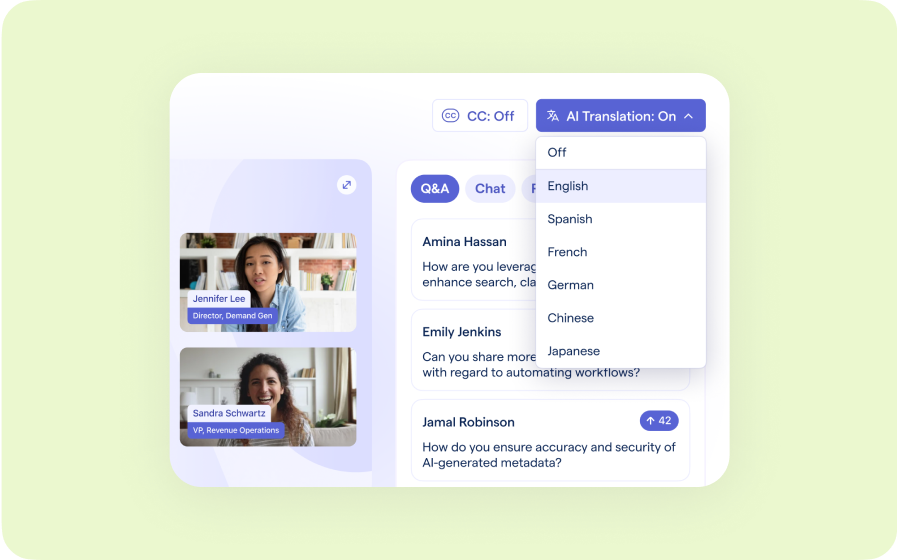
AI Audio Translations
Presenters speak in their language while attendees listen in theirs, removing barriers and opening content to participants everywhere.
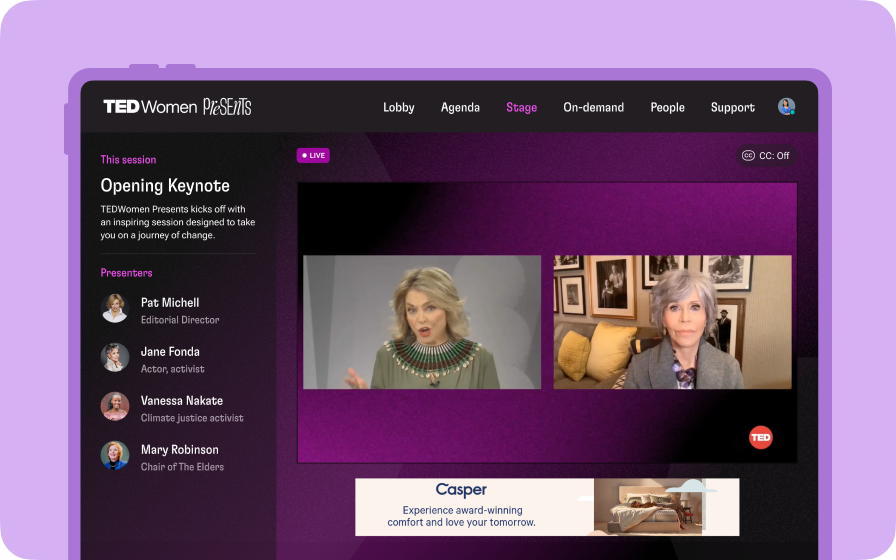
Custom Audience Experiences
Get complete control over your webinar and event interfaces so every session looks, feels, and performs exactly the way you want.
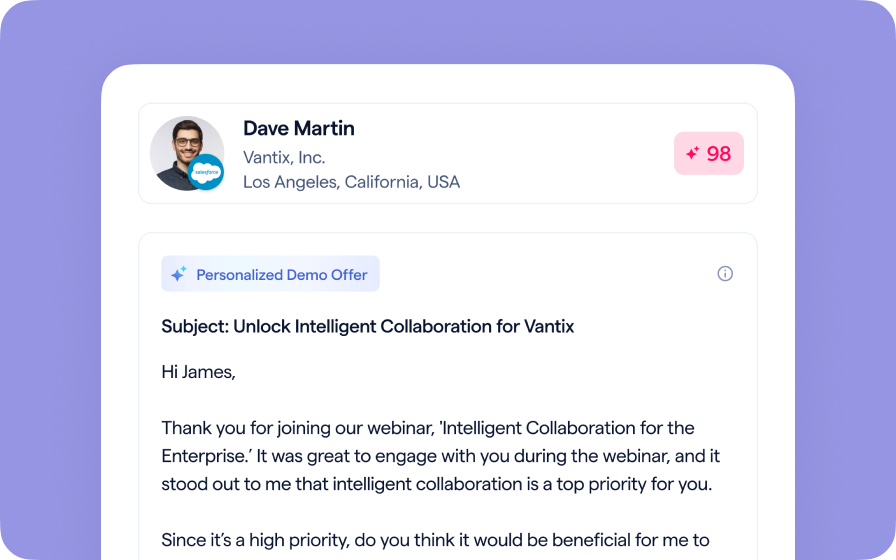
AI Email Personalization
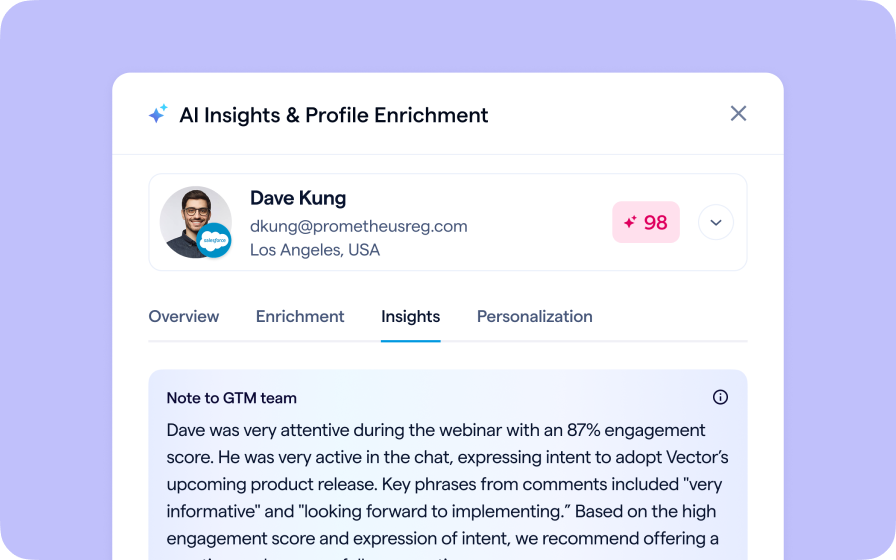
Every attendee gets a message crafted just for them based on their engagement, interests, and lead score.
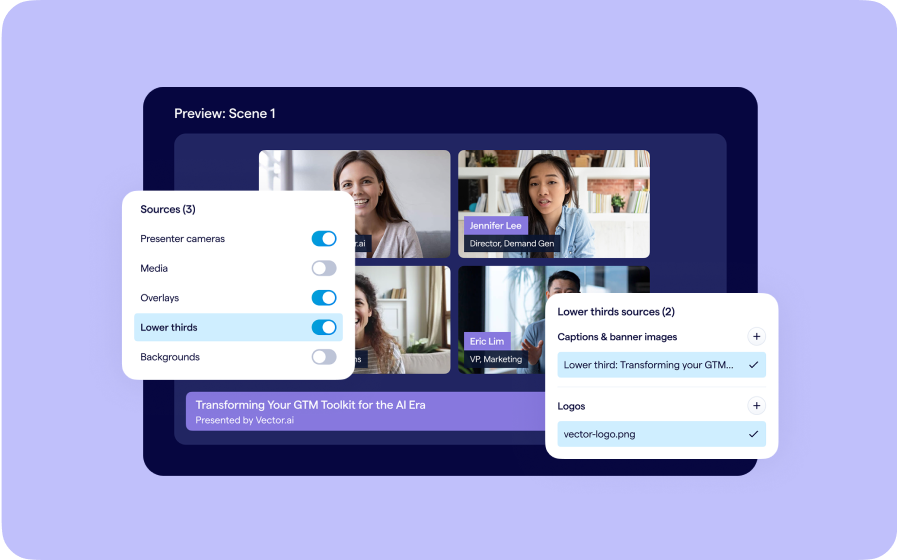
Studio Scenes
Give your events the look, feel, and professionalism of a live broadcast, without the complexity or cost of a production crew.
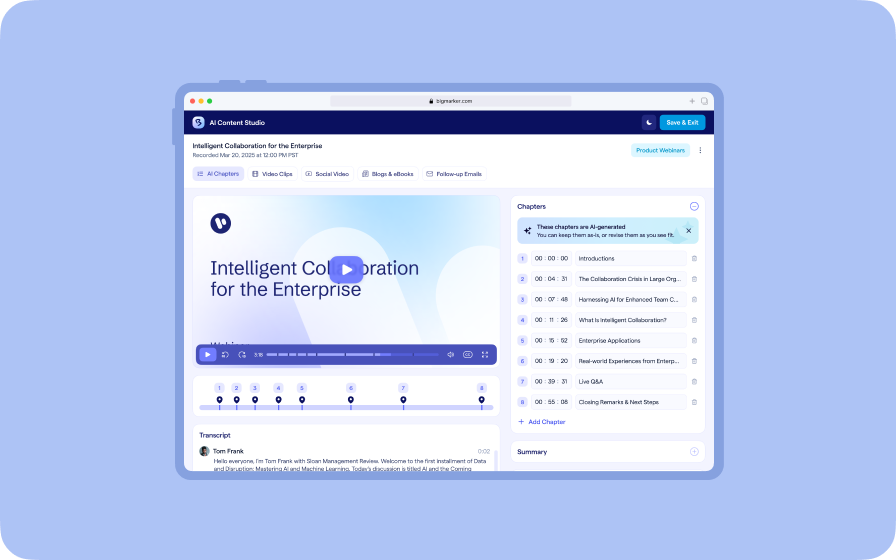
AI Content Studio
Leverage generative AI to automate chaptering, generate short-form video clips, and create blogs, eBooks, and other derivative content.
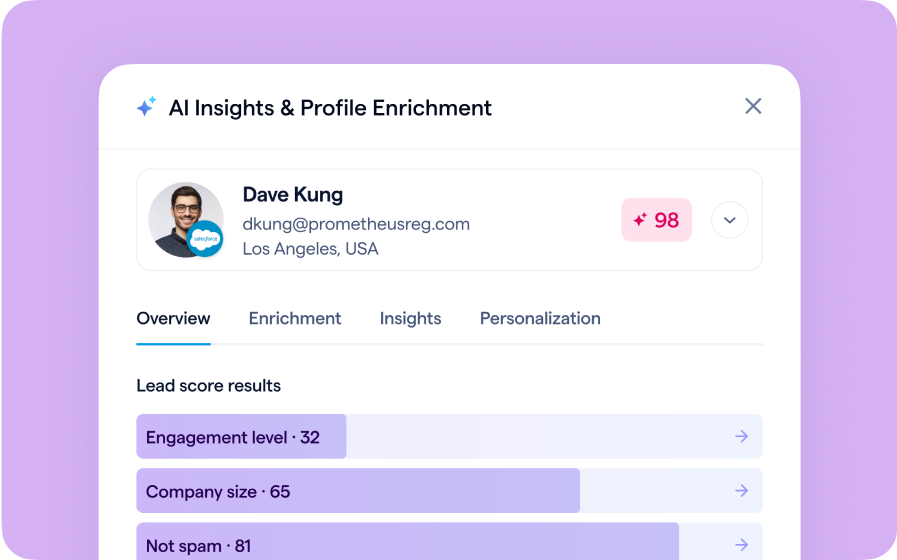
AI Lead Scoring
Instantly transform registration and attendee data into customized actionable sales insights.