BigMarker News & Updates
Automatic Data Deletion
What’s New
You can now schedule the removal of registration and attendee data automatically, helping you stay compliant and keep your event database clean.
By automating data deletion, you reduce manual cleanup and better manage privacy compliance (GDPR, CCPA).
How to Use It
- In your event or channel settings, navigate to the Data Deletion or Privacy section.
- Choose which types of data (registrant data, attendee data, watch-time, etc.) you want to schedule for removal.
- Set and confirm your settings. BigMarker will then automatically remove the selected data according to your configured schedule.
Learn More
For detailed instructions and best practices: Read the guide on automatic data deletion.
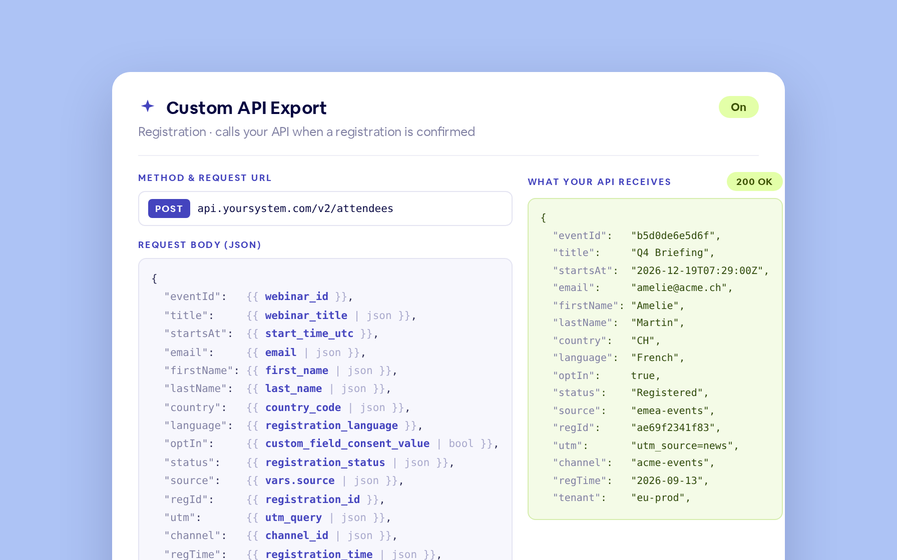
Export to Any System
No connector needed — point a session at your endpoint, write the JSON body, and BigMarker calls it as people register, attend and watch.
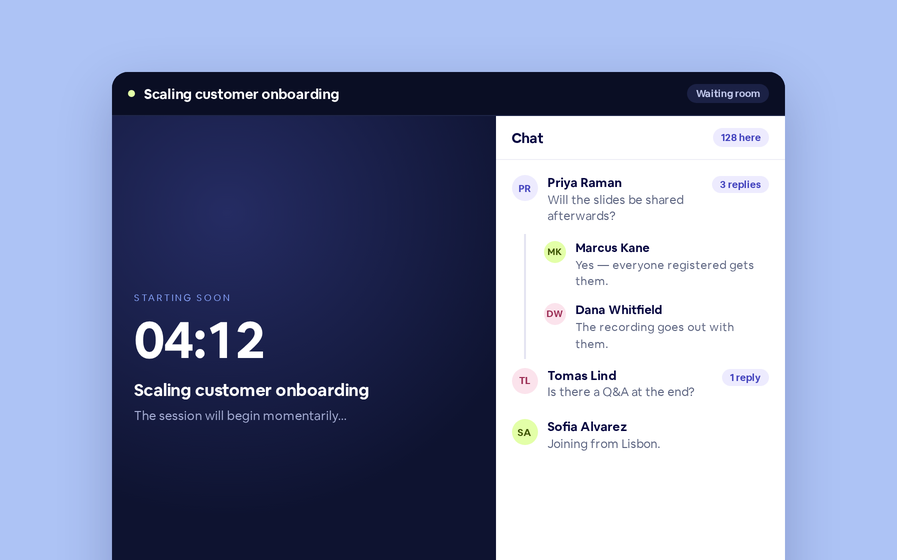
Threaded chat in waiting room
Replies now sit in a thread under the message they answer, so the pre-show conversation stays readable.
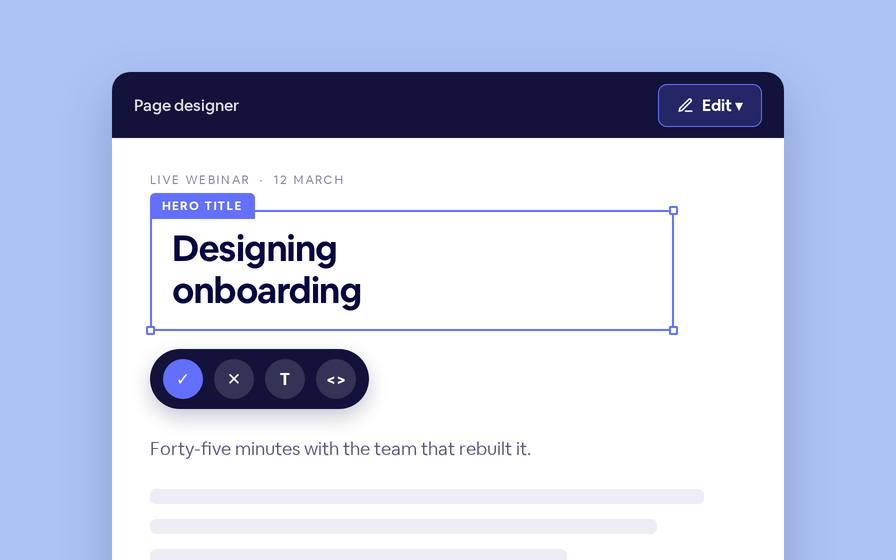
Inline Page Editing
Click any headline, image or block on your landing page and change it right there — no hunting through editor panels.
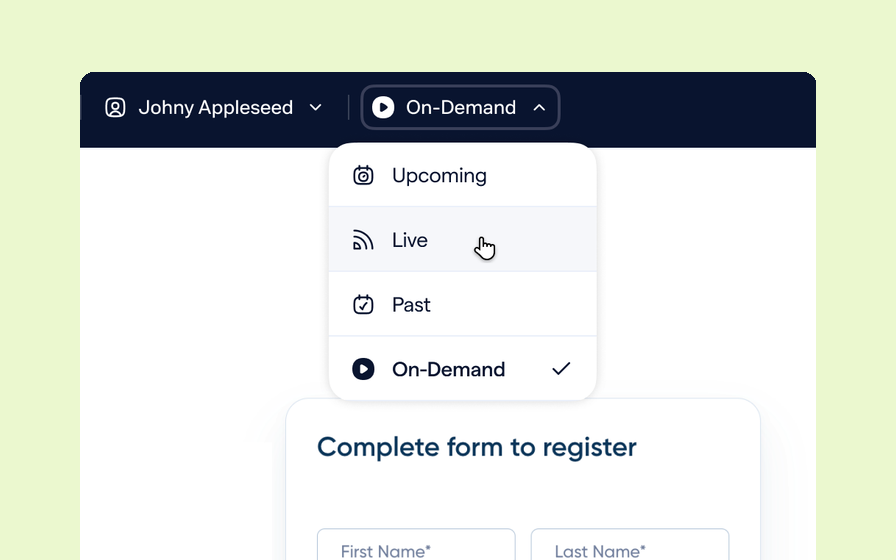
Preview Custom Page States
Preview any custom page as a registered viewer, an unregistered visitor or a real registrant, at any point in the event's life.
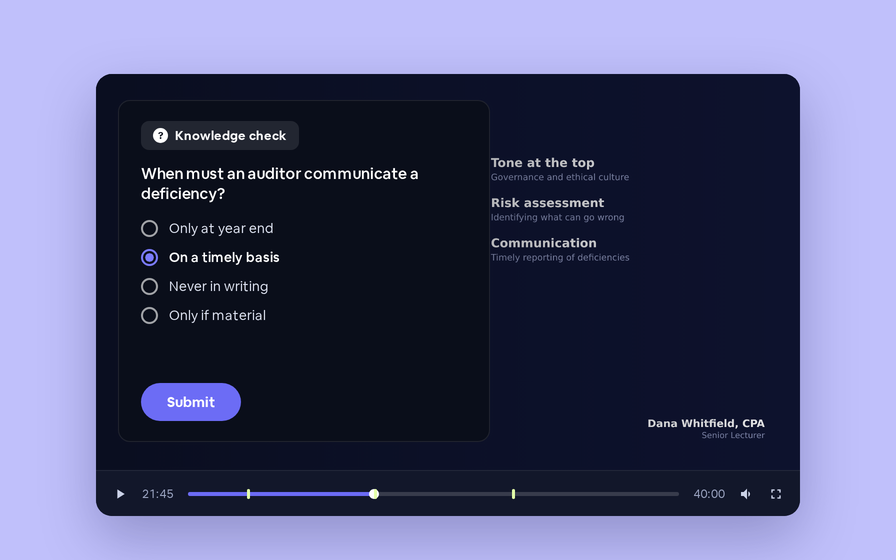
Quizes in On Demand Video
Ask questions inside your recordings and see who actually understood, not just who pressed play.
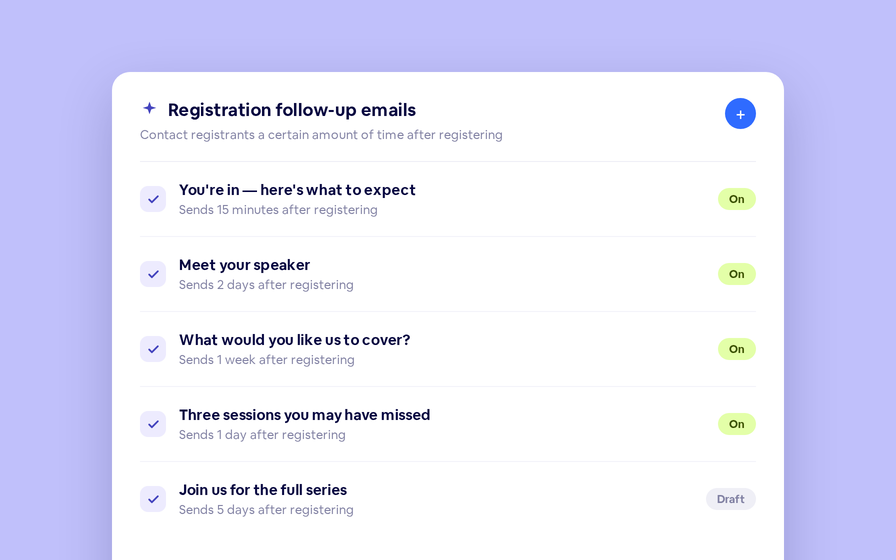
Follow Up Emails
Keep in touch with your registrants immediately after they register.
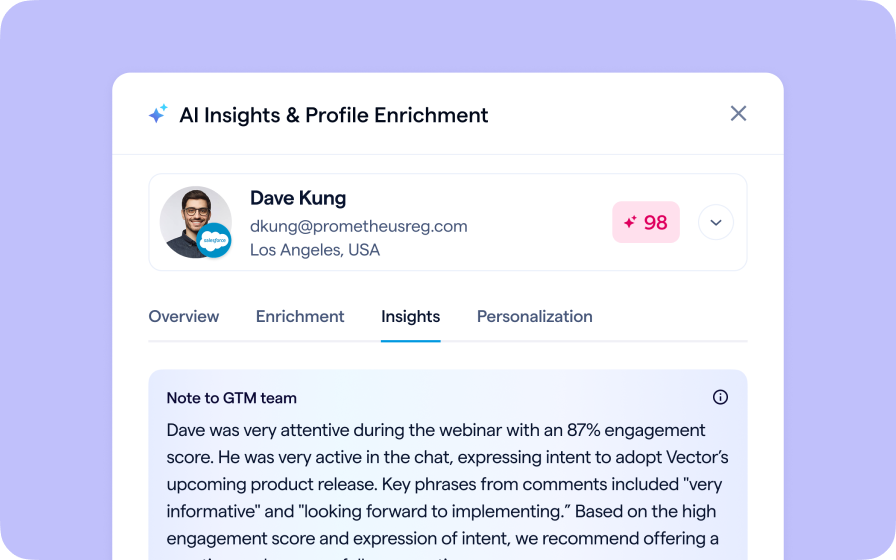
Introducing BigMarker AI
Leverage generative AI to automate chaptering, generate short-form social-ready video clips, and create derivative content such as blogs, eBooks, and more.
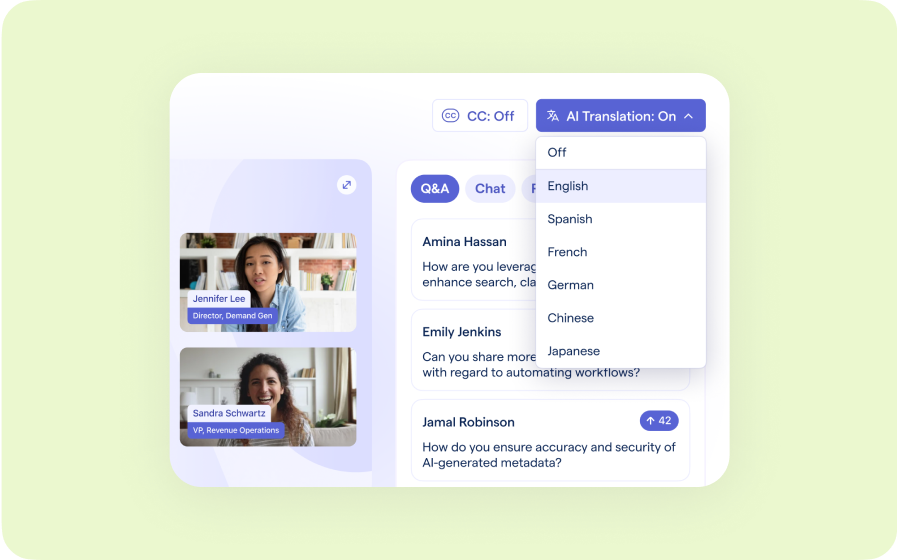
AI Audio Translations
Presenters speak in their language while attendees listen in theirs, removing barriers and opening content to participants everywhere.
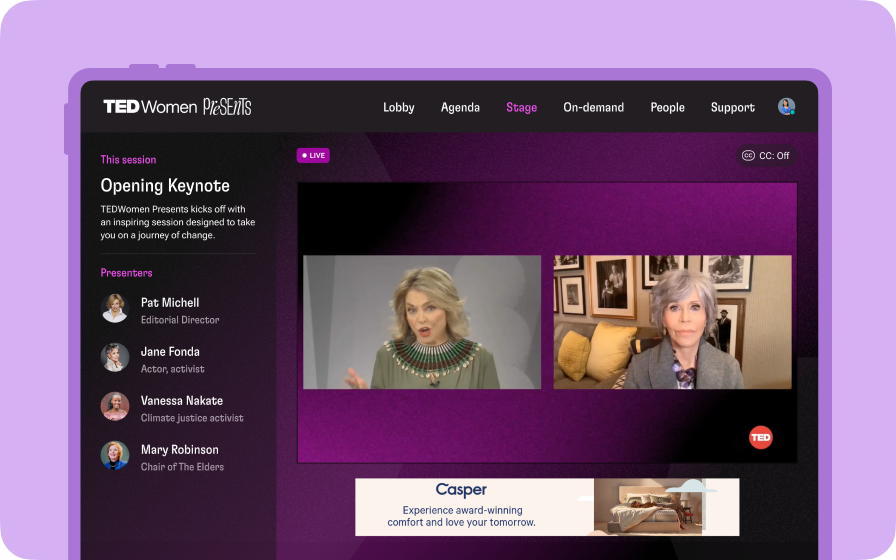
Custom Audience Experiences
Get complete control over your webinar and event interfaces so every session looks, feels, and performs exactly the way you want.
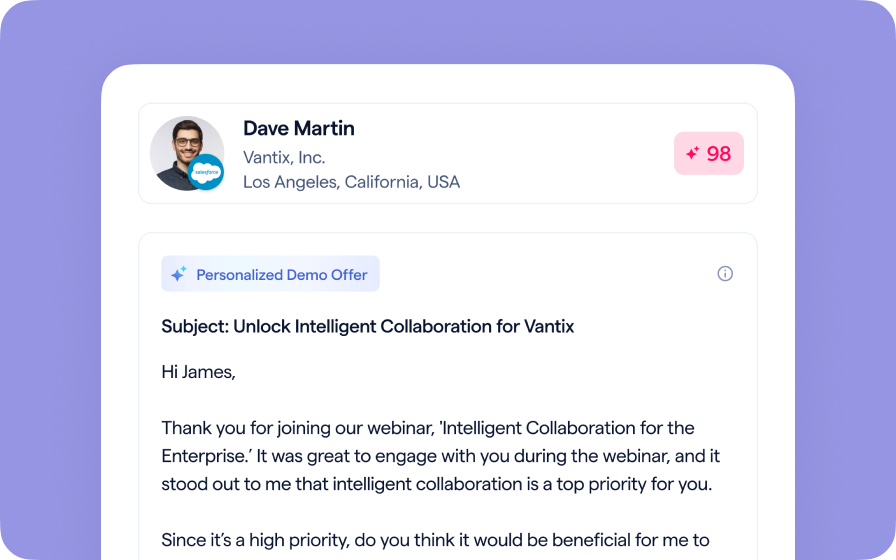
AI Email Personalization
Every attendee gets a message crafted just for them based on their engagement, interests, and lead score.
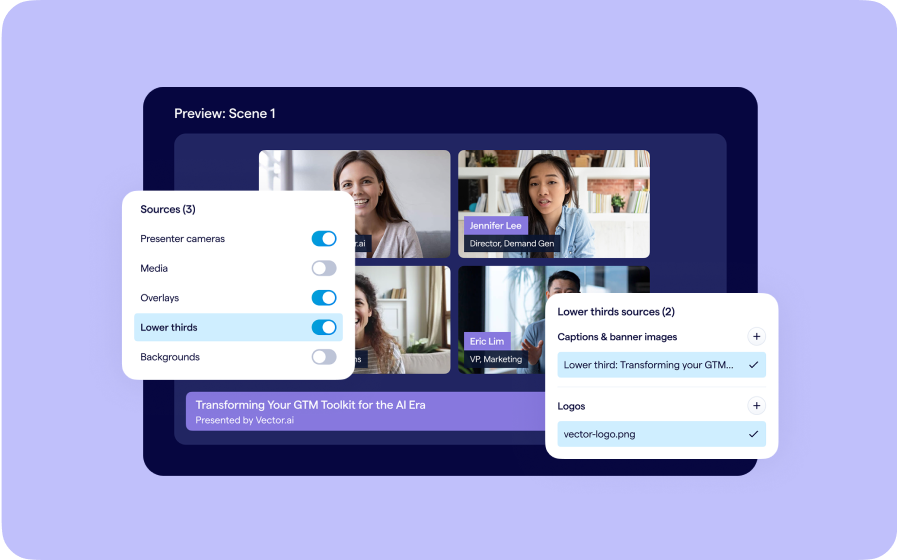
Studio Scenes
Give your events the look, feel, and professionalism of a live broadcast, without the complexity or cost of a production crew.
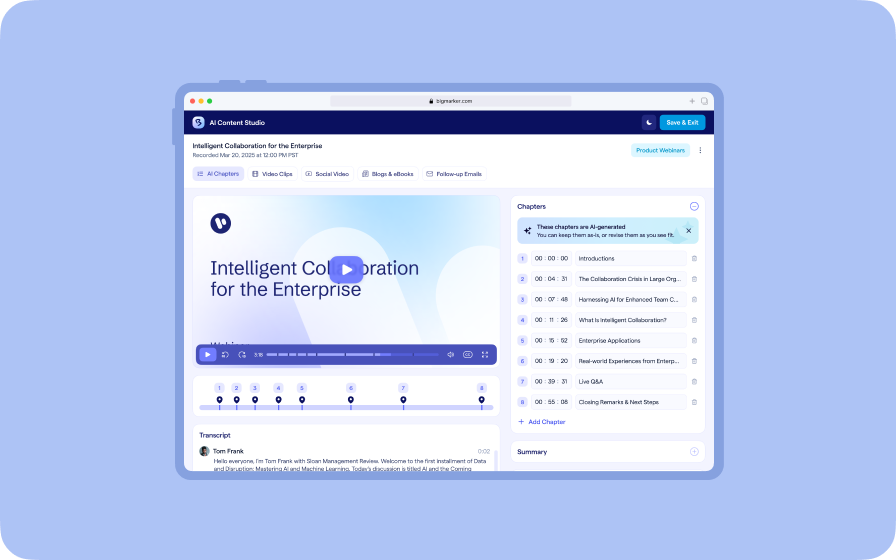
AI Content Studio
Leverage generative AI to automate chaptering, generate short-form video clips, and create blogs, eBooks, and other derivative content.
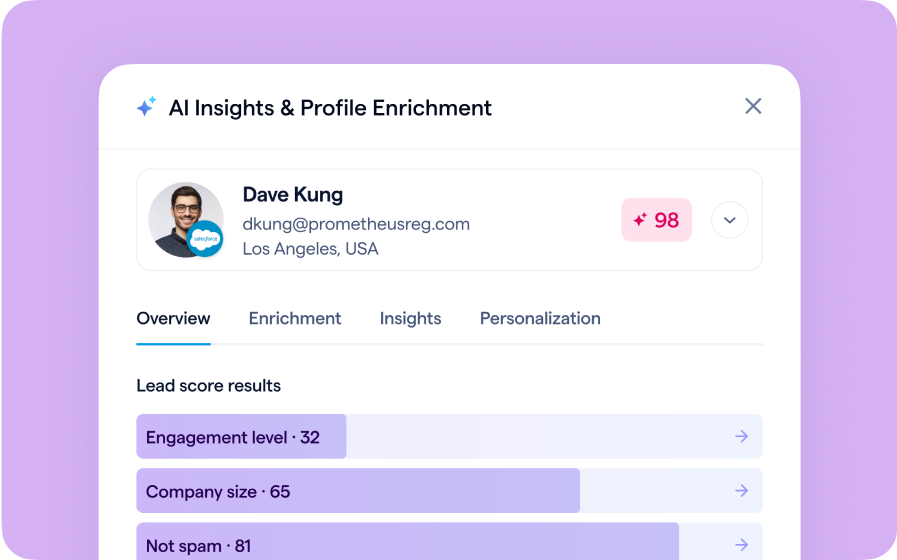
AI Lead Scoring
Instantly transform registration and attendee data into customized actionable sales insights.