BigMarker News & Updates BigMarker AI
Get 10x More ROI From Every Event You Host.
Stop letting your event data sit idle. Use AI to instantly identify ready-to-buy leads, automate personalized follow-ups, and generate weeks of social video content in minutes.
Categories
AI On-Demand Live Session Events Marketing
Share

BigMarker AI empowers webinar and event producers to generate advanced audience insights, automate follow-up actions, and deliver actionable data to commercial teams.

Spot Your Hottest Leads Instantly

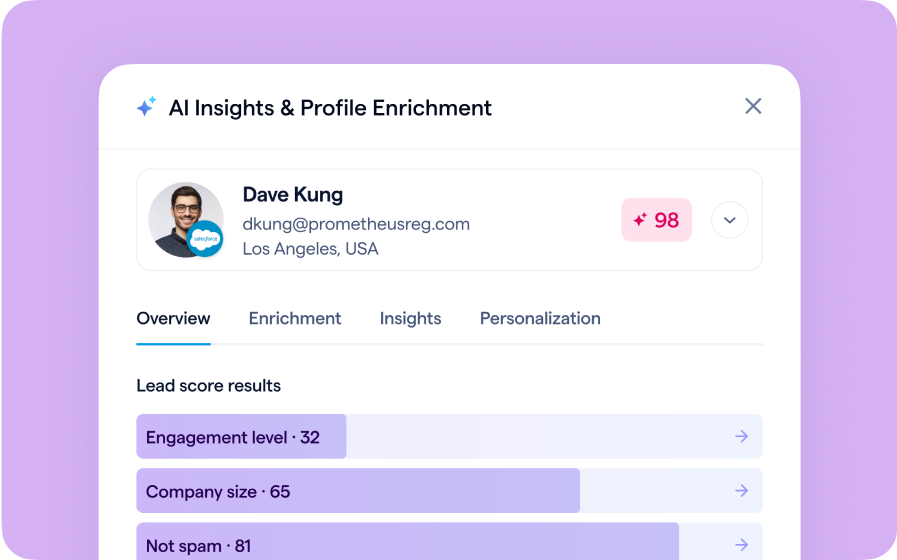
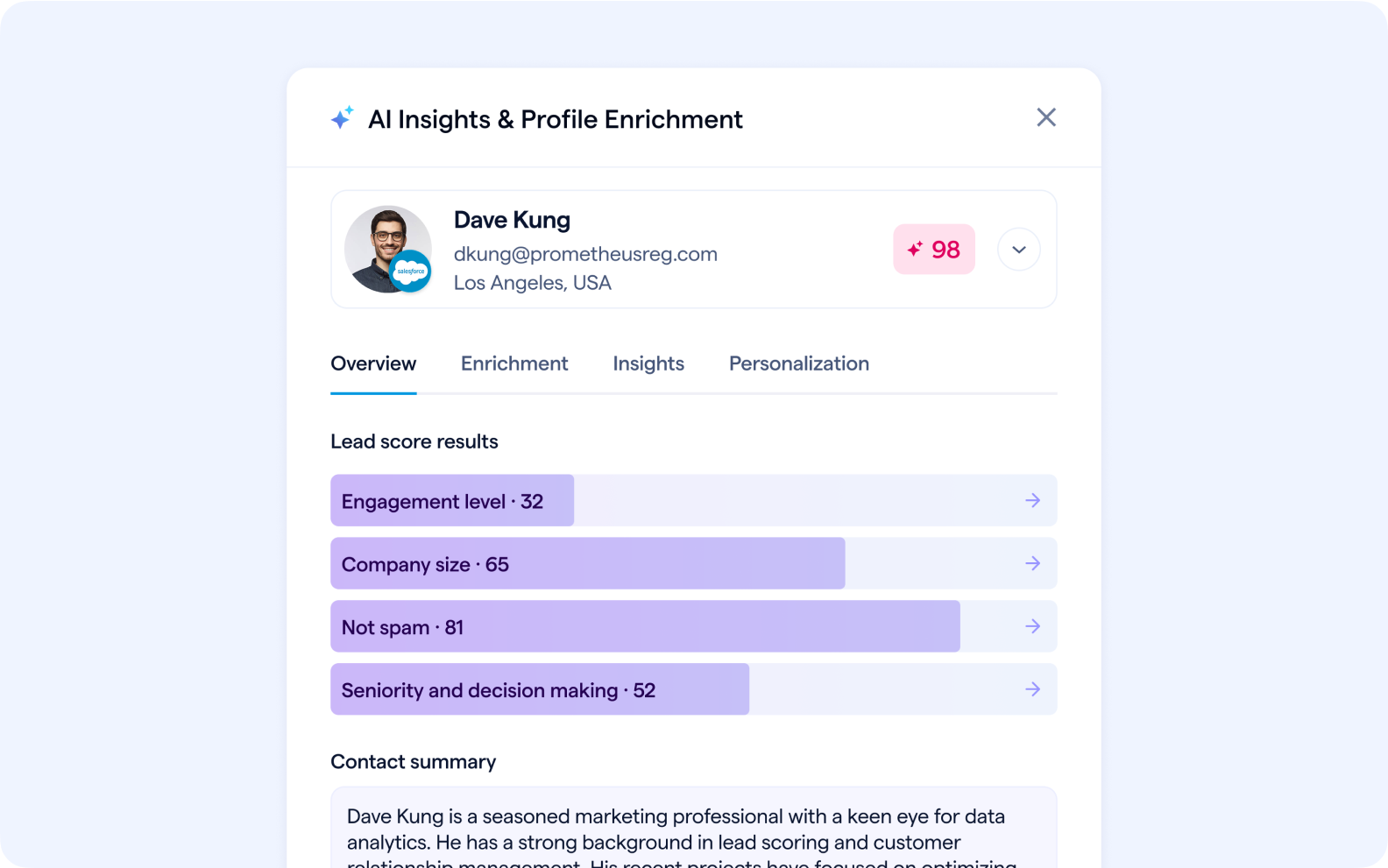
Rank audience members based on configurable scoring factors

Marketing teams can define their own lead scoring models based on the factors that matter most to their business. Scoring factors can include data from registration fields, attendee activity (chats, Q&A, poll + survey responses, CTA clicks, etc.) from the current and all past sessions, as well as data from previous interactions with each contact delivered via the CRM/MAS integration.
AI-Lead-Scoring


AI Sales Intelligence

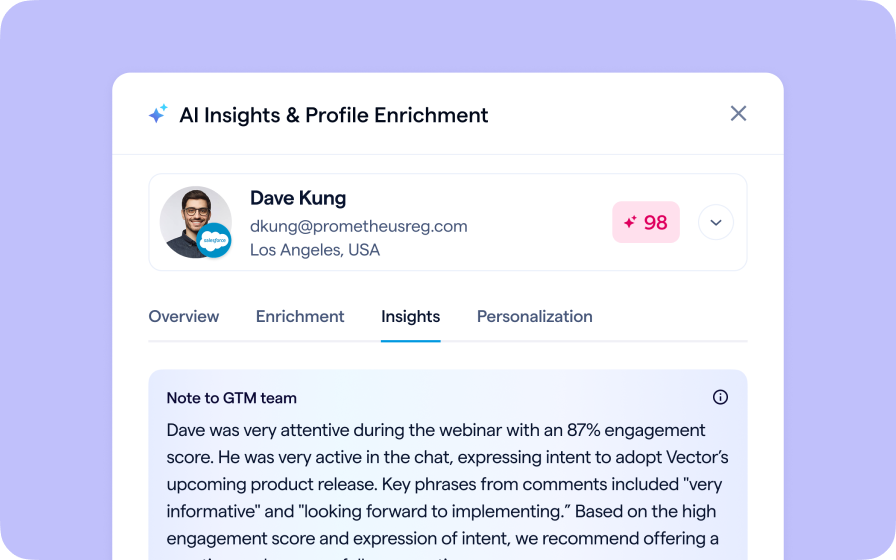
Give Sales the Full Picture Before They Dial.

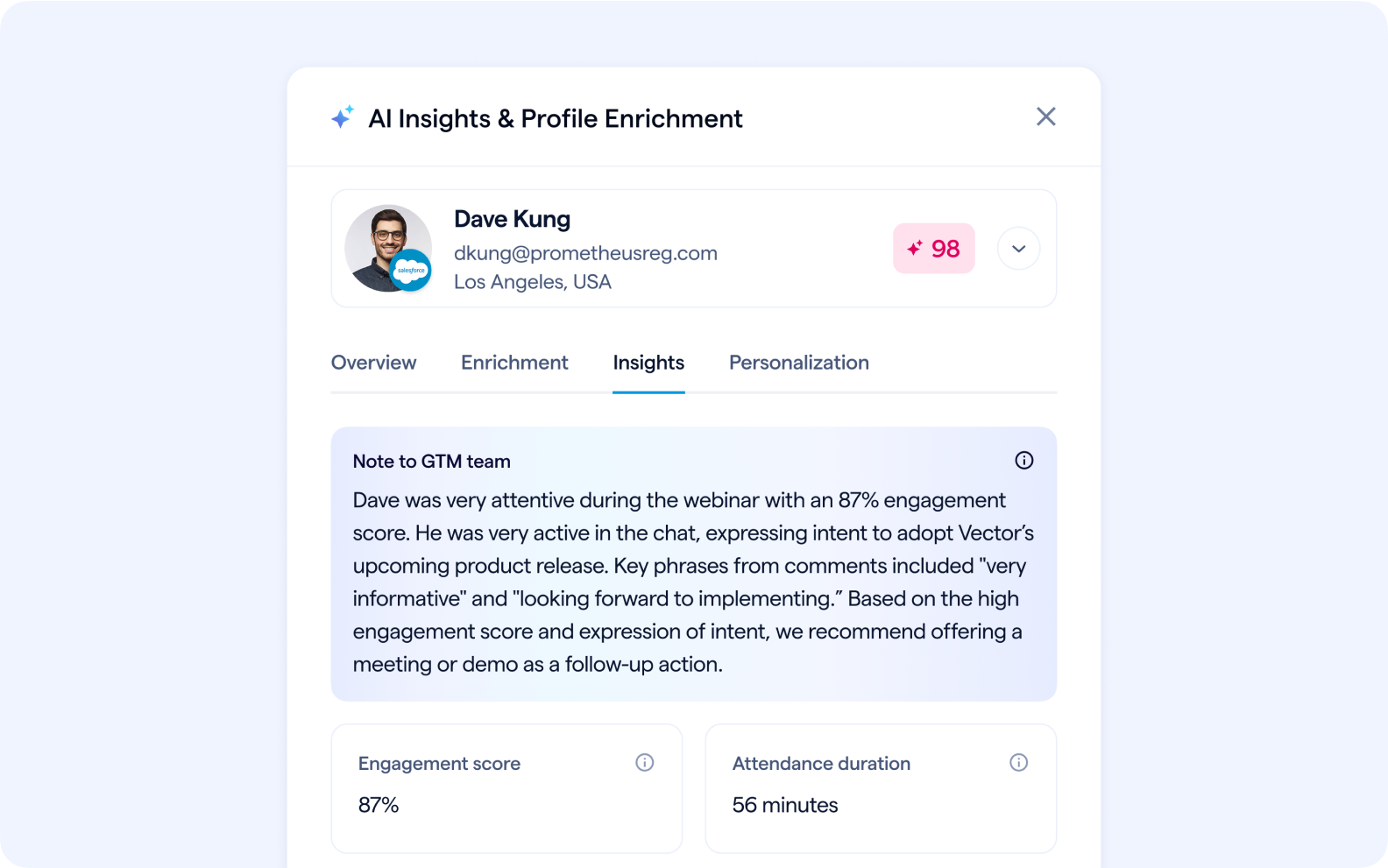
Share AI-generated summary notes via your CRM/MAS integration to update AE/CSMs of new activity. Summary notes can include poll responses, Q&A submissions, and chats, so contact owners can leverage engagement data to inform messaging for future touchpoints. Summaries highlight key statements of intent and other signals that contacts communicate in webinars and events.
AI-Notes-to-GTM-Team


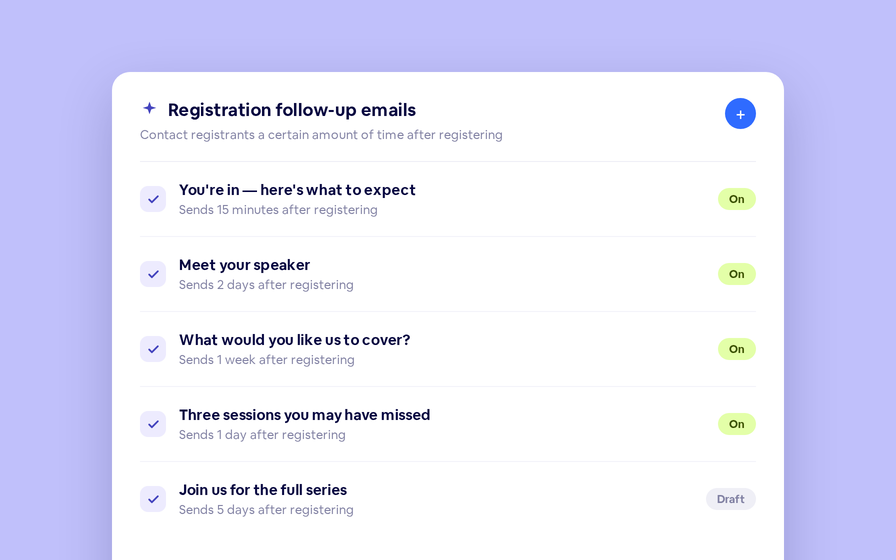
AI email personalization

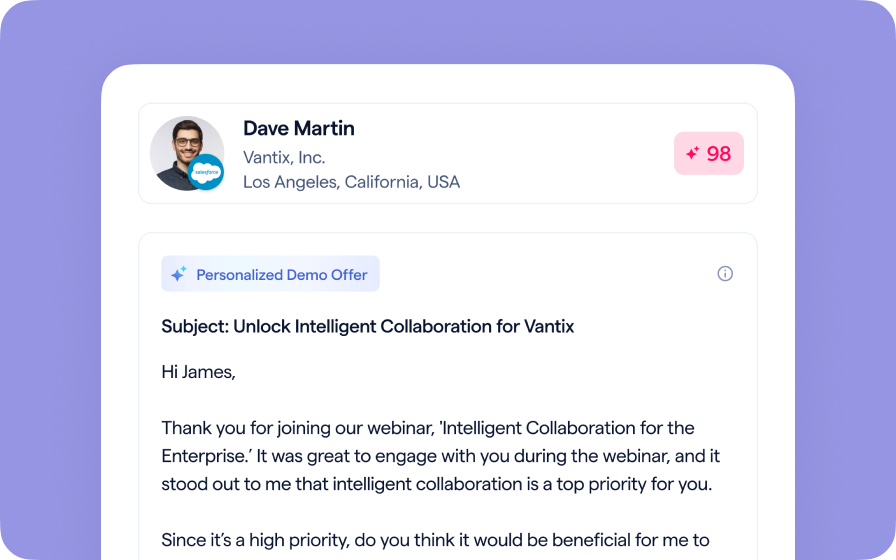
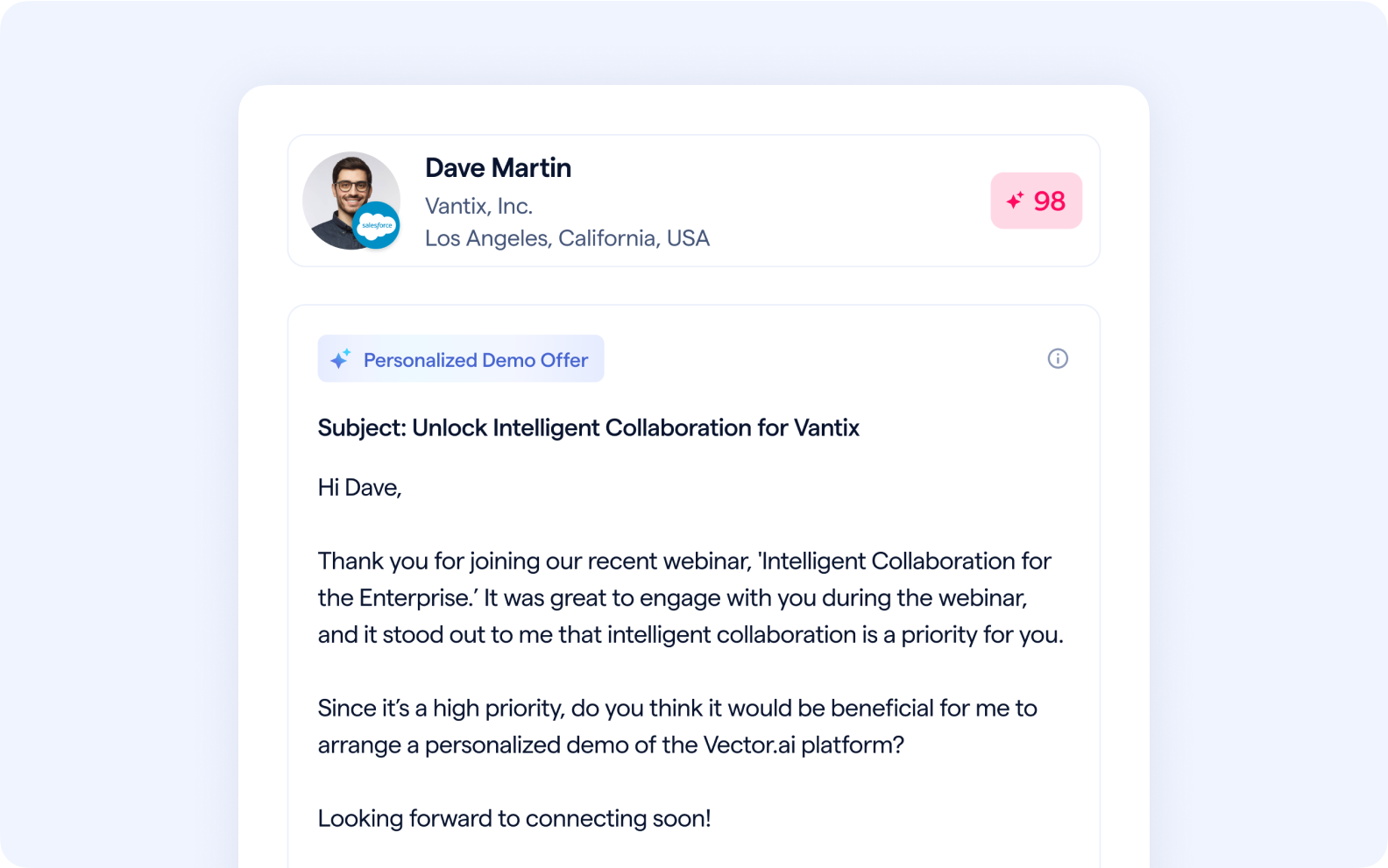
Send each registrant a personalized follow-up message driven by webinar activity.

Follow-up emails can now be tailored to the precise activity of each attendee, including watch time and questions asked. You can send tailored follow-ups based on intent signals. For example, you may send a demo/meeting offer to attendees who have signaled intent, surveys to those you’re still trying to get a pulse on, and the on-demand replay to attendees who left early.
AI-Email-Personalization


AI chaptering

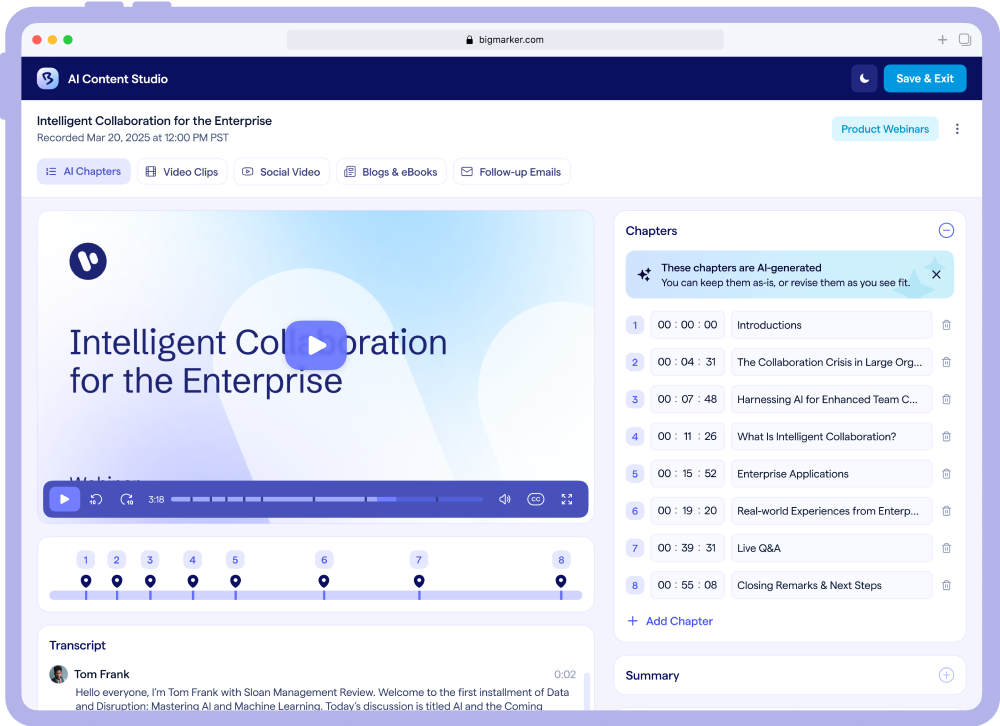
Organize, navigate, and engage with AI chaptering

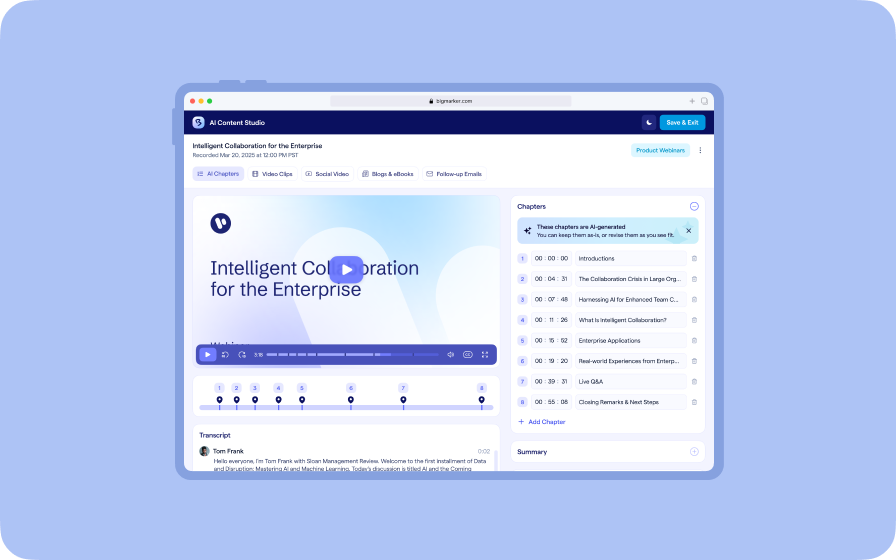
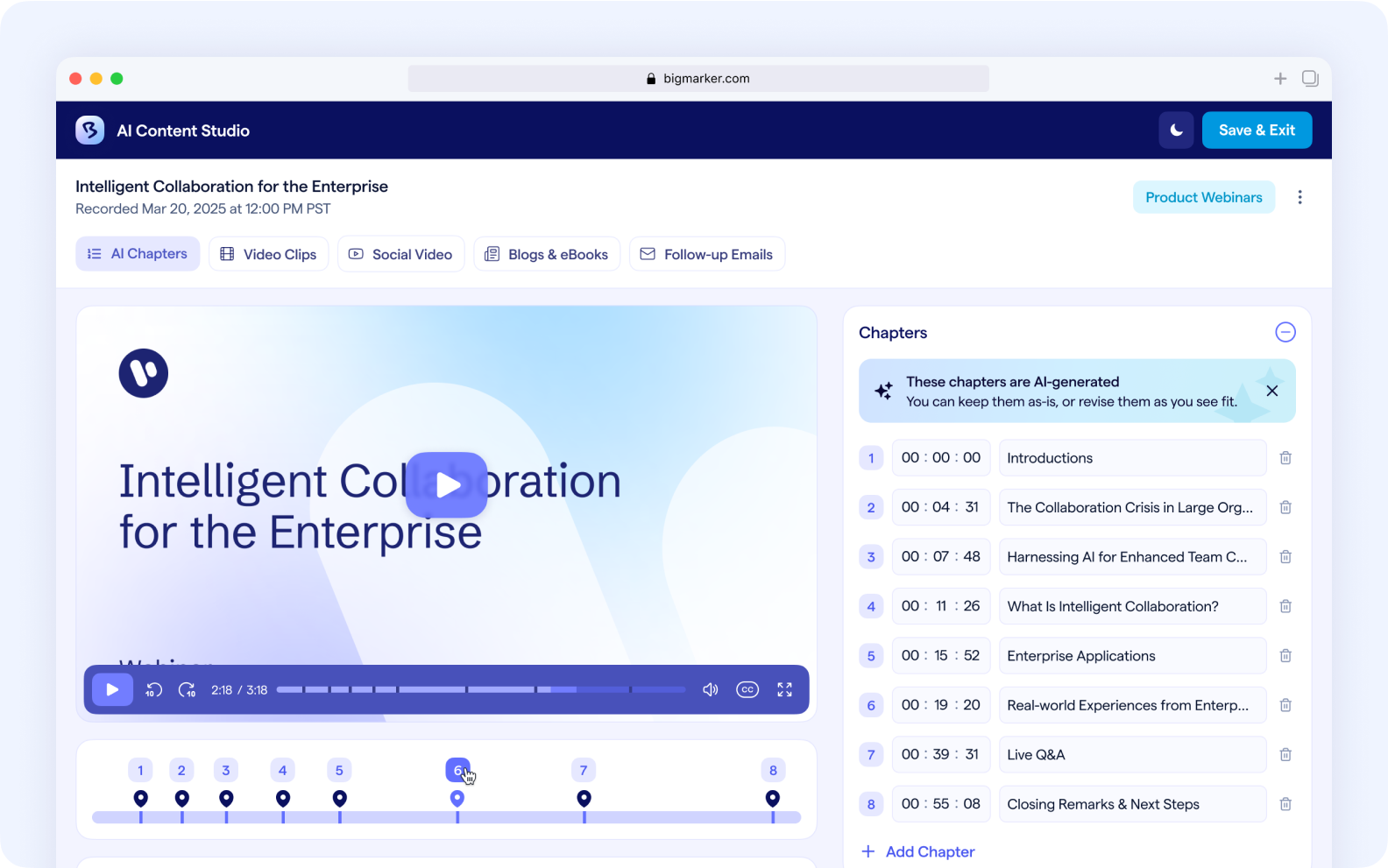
The moment your session ends, chapters appear automatically. Each chapter marks a topic shift or key moment so viewers can jump straight to what matters. You can rename chapters, adjust timestamps, or add new ones with a few clicks. The result is a polished on-demand experience that helps audiences skim, search, and self‑serve on your site or video hub.
AI-Video-Chaptering


AI transcripts + summaries

Gain instant insight with transcripts and summaries

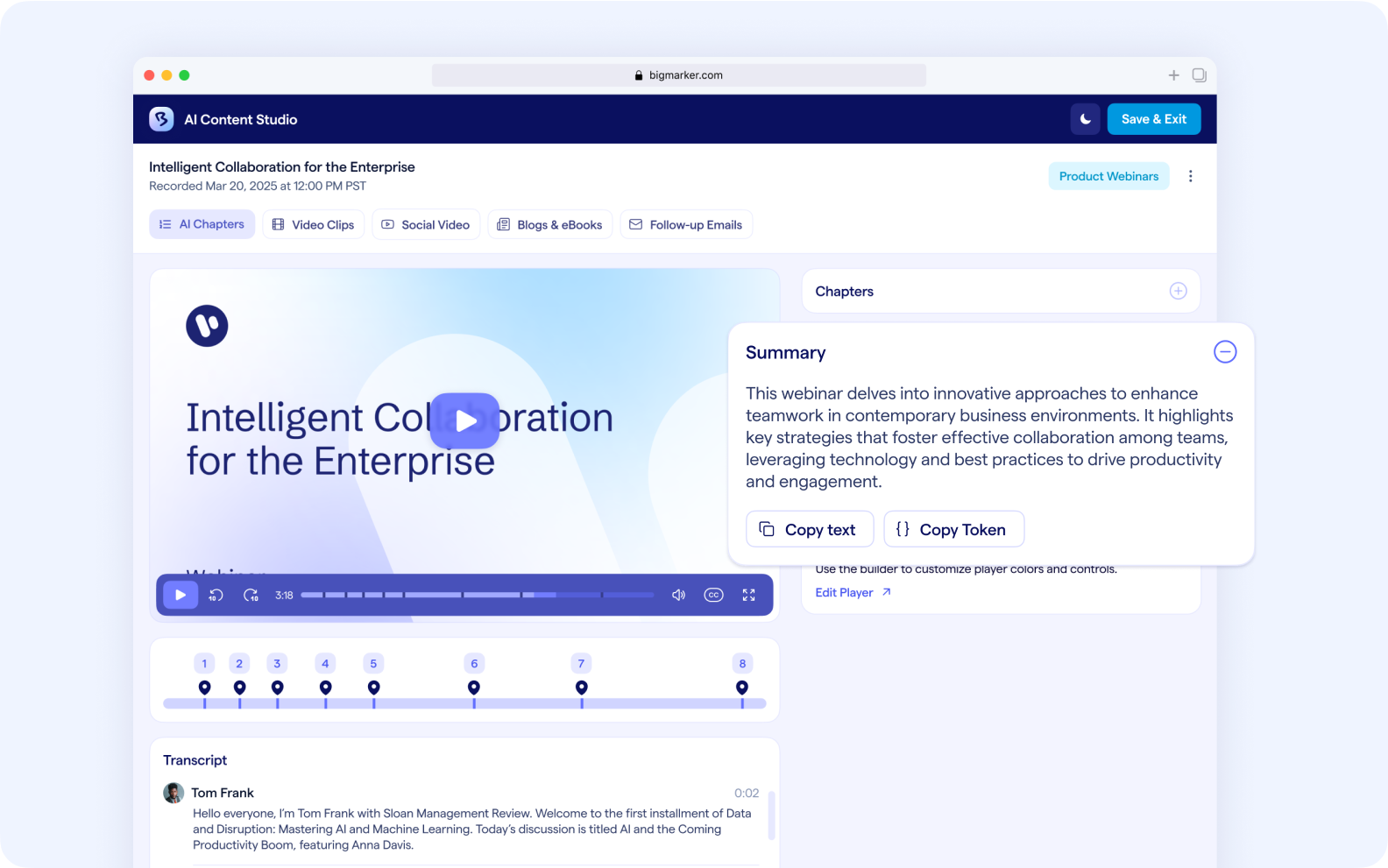
Every session is automatically transcribed with natural language processing for accuracy and searchability. Alongside the transcript, AI generates concise summaries that capture the narrative and key takeaways. Paste them into landing pages, follow-up emails, and blog intros, or use them as the backbone for deeper analysis of which topics and presenters drove engagement.
AI-Transcripts-and-Summaries


AI generated video clips

Stretch content further with AI-powered video clips

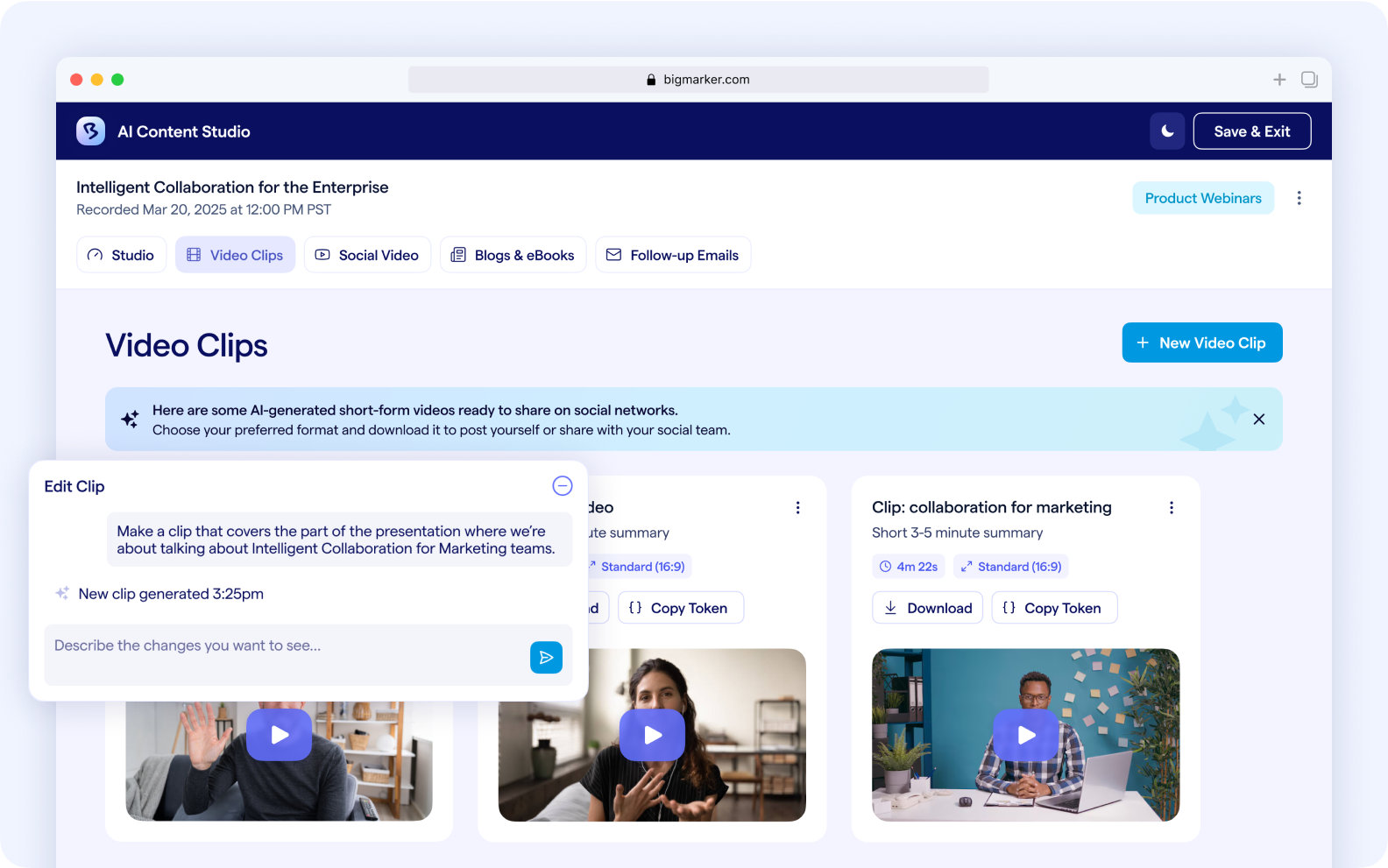
Automatically generate short, polished video clips highlighting the most impactful moments from your event. Quickly repurpose key moments for email recaps, marketing pages, and other content, without waiting weeks for manual production.
AI-Video-Clips
Join the Waitlist for Exclusive Access to BigMarker AI.

BigMarker AI is now available to customers for an exclusive preview period running through the end of the year.
Related updates
BigMarker Self-Service Event Kit.
Streamline Webinar Registration with HubSpot Forms
Tired of manually syncing lists? You can now automatically register attendees for your BigMarker events the moment they submit a HubSpot form.
Introducing BigMarker AI
Leverage generative AI to automate chaptering, generate short-form social-ready video clips, and create derivative content such as blogs, eBooks, and more.
AI Translations
AI Translations
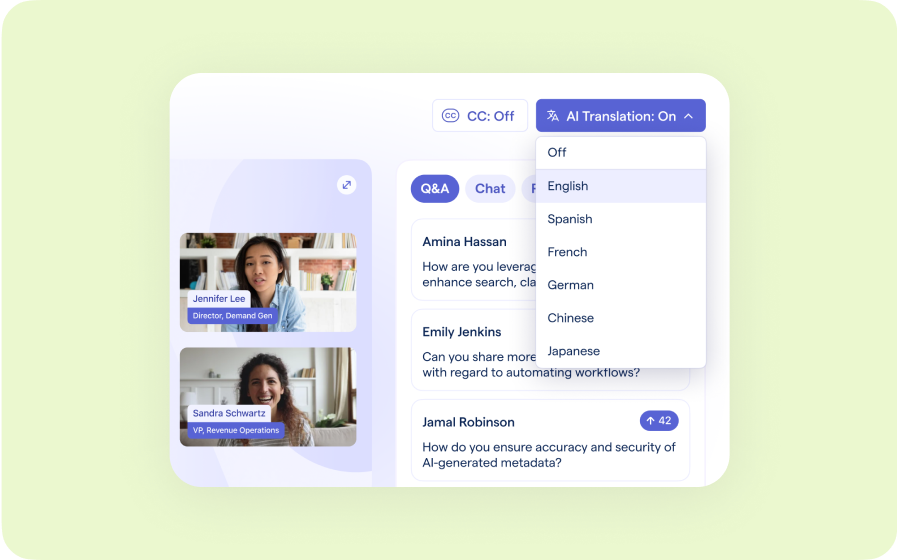
Presenters speak in their language while attendees listen in theirs, removing barriers and opening content to participants everywhere.
Custom Audience Experiences
Get complete control over your webinar and event interfaces so every session looks, feels, and performs exactly the way you want.
AI Email Personalization
Every attendee gets a message crafted just for them based on their engagement, interests, and lead score.
Studio Scenes
Studio Scenes
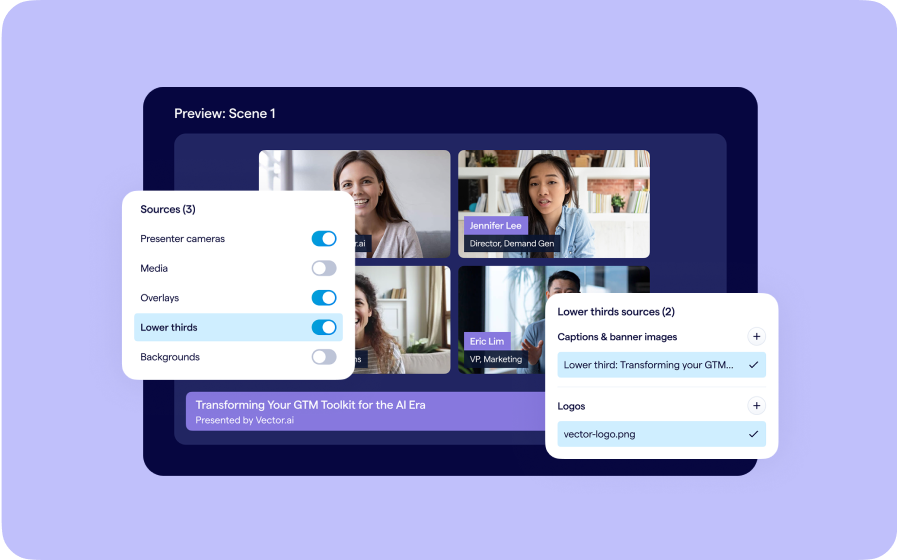
Give your events the look, feel, and professionalism of a live broadcast, without the complexity or cost of a production crew.
AI Content Studio
AI Content Studio
Leverage generative AI to automate chaptering, generate short-form video clips, and create blogs, eBooks, and other derivative content.
AI Lead Scoring
AI Lead Scoring
Instantly transform registration and attendee data into customized actionable sales insights.
Braze Integration
Braze Integration
Seamlessly export registrant and attendee data into Braze user profiles, turning every event into a powerful source for personalized communication and segmentation.
Filtered Event Analytics
Download event analytics with your custom filters applied, exporting only the exact audience segments you need.
Manage All Emails from the Home Dashboard
The Home Dashboard now includes a unified Emails page, giving you a single place to view, monitor, and manage all event emails.
Automatic Data Deletion
Schedule automatic deletion of registration and attendee data, keeping your event database clean and compliant.
Closed Caption Adjustment CSV Upload
Bulk upload Closed Caption adjustments via CSV, making it easy to correct recurring errors and deliver cleaner captions.
Camera Pin
Camera Pin
Hosts can now control exactly who appears on screen, keeping key speakers spotlighted and delivering a cleaner, broadcast-grade viewing experience.
Upload Closed Captions for Automated Videos
Upload VTT caption files for videos in your Automation Timeline, ensuring fully controlled, compliant captions.
Custom Audience Experience for Immersive On-Demand
Apply Custom Audience Experience layouts to Immersive On-Demand sessions, delivering a fully branded, live-like replay experience for a more cohesive audience journey.
Editor Field Uploader
Bulk upload and update custom page editor fields via CSV, making it faster to manage and sync large volumes of content across events.
Anonymous Q&A
Anonymous Q&A
Attendees can now submit Q&A questions anonymously to encourage candid participation.
Salesforce Data Enrichment
BigMarker’s Salesforce integration now supports Data Enrichment, automatically pulling in registrant details from existing Salesforce records to ensure every submission is complete.
Share Custom Reports Externally
Share custom reports by email or secure link, making it easier to distribute analytics to stakeholders without BigMarker access.
Preview Emails as a Registrant
Preview event emails as a specific registrant, making it easy to verify personalized tokens and ensure every message renders accurately before you send.
Eloqua Enrichment Fields
BigMarker’s Eloqua integration now supports Enrichment Fields, automatically pulling mapped contact data from Eloqua on email match so you can enrich profiles and shorten registration forms through progressive profiling.
Segments
Segments
Group registrants by their field values to deliver personalized offers, polls, and handouts.
Pardot Segmentation Lists
BigMarker’s Pardot integration now supports Segmentation List Export, automatically routing registrants, attendees, no-shows, and on-demand viewers into separate lists for smarter, behavior-based follow-ups.
Salesforce Export Conditions
BigMarker’s Salesforce integration now supports Export Conditions, allowing you to sync only the registrants who meet your defined criteria.
Stripe Integration Test Keys
BigMarker’s Stripe integration now supports Test Keys, letting you safely simulate transactions and validate your payment setup before going live.
Join the waitlist
By clicking “Submit”, I acknowledge that BigMarker may contact me related to my participation in this Beta offering.
You’re all set!
You’ve successfully registered for the waitlist!
If you have any questions, please contact your CSM.
Introducing BigMarker AI