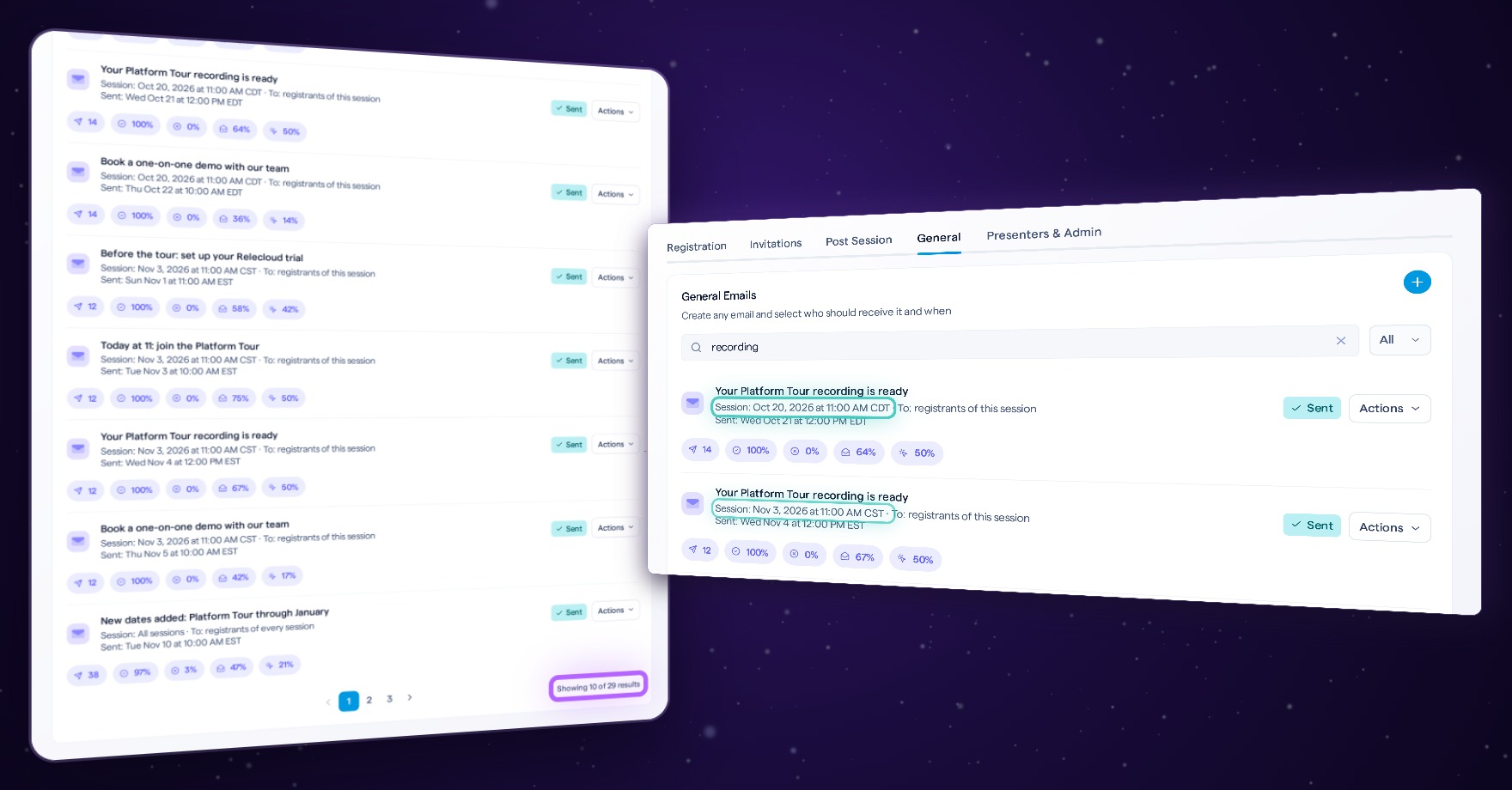
On a recurring webinar, the main session's General Emails list brings together the emails of every session. Now it has a search box, a status filter and pages: type part of a subject, pick a status, or use both, and the list shows the emails you're after, ten at a time.
Every General email, easy to find
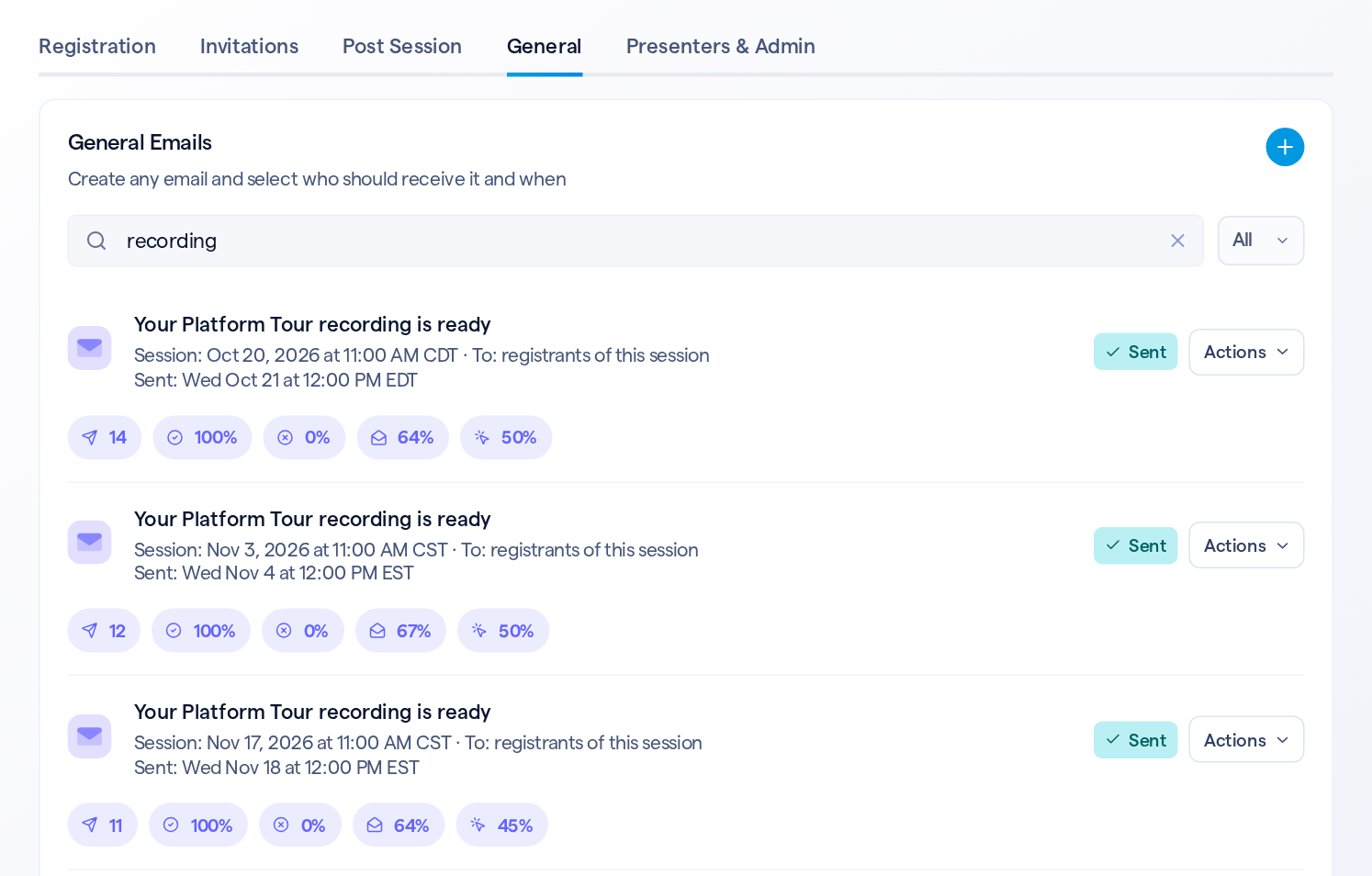
The General Emails list now has a search box, a status filter and pages. On a recurring webinar, the main session's list holds the General emails of every session, and now you can type part of a subject to find one, pick a status to see only those emails, or move through the list ten at a time.
Search and filter in three steps
In your session admin, open Emails, then General.
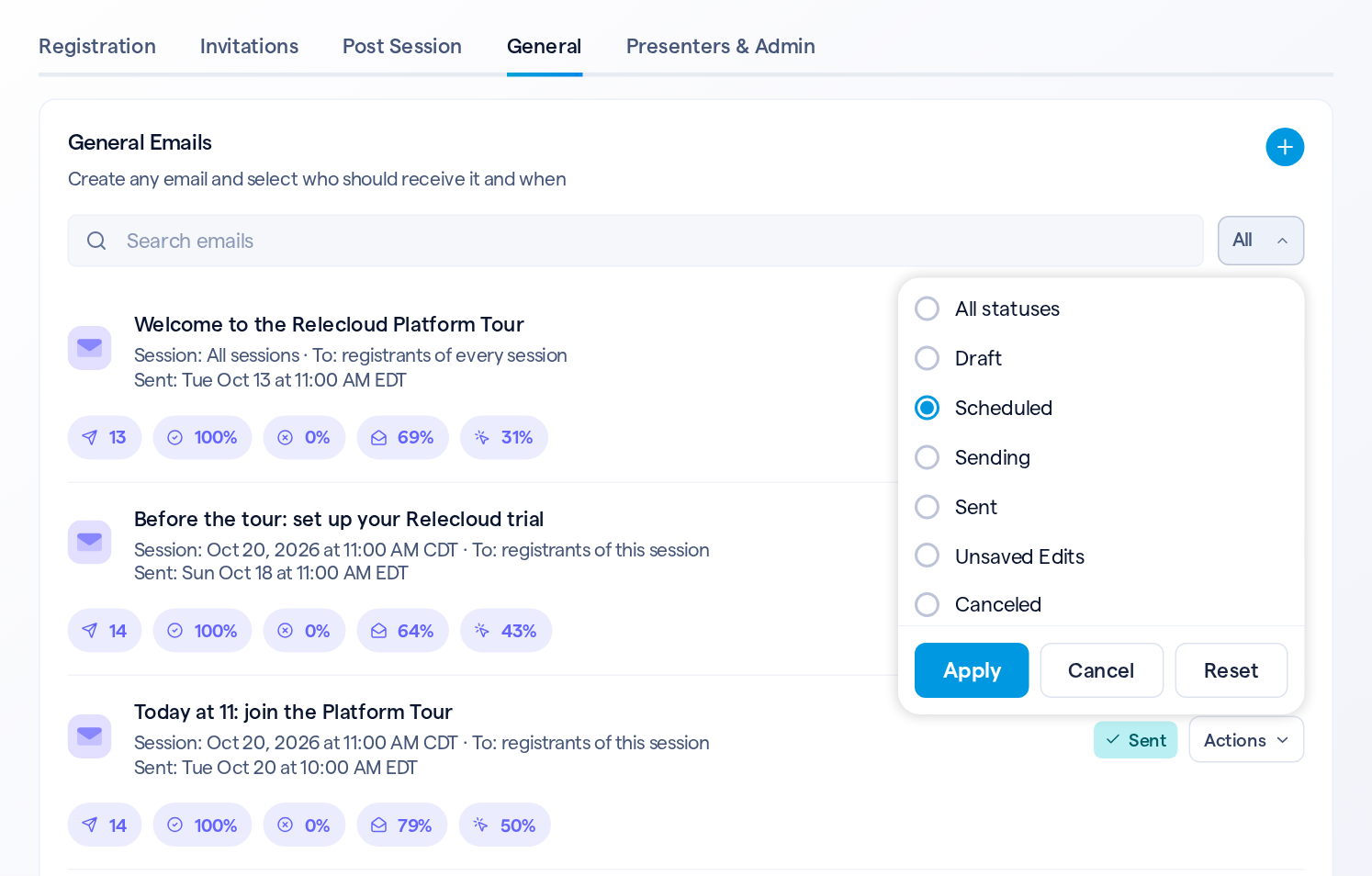
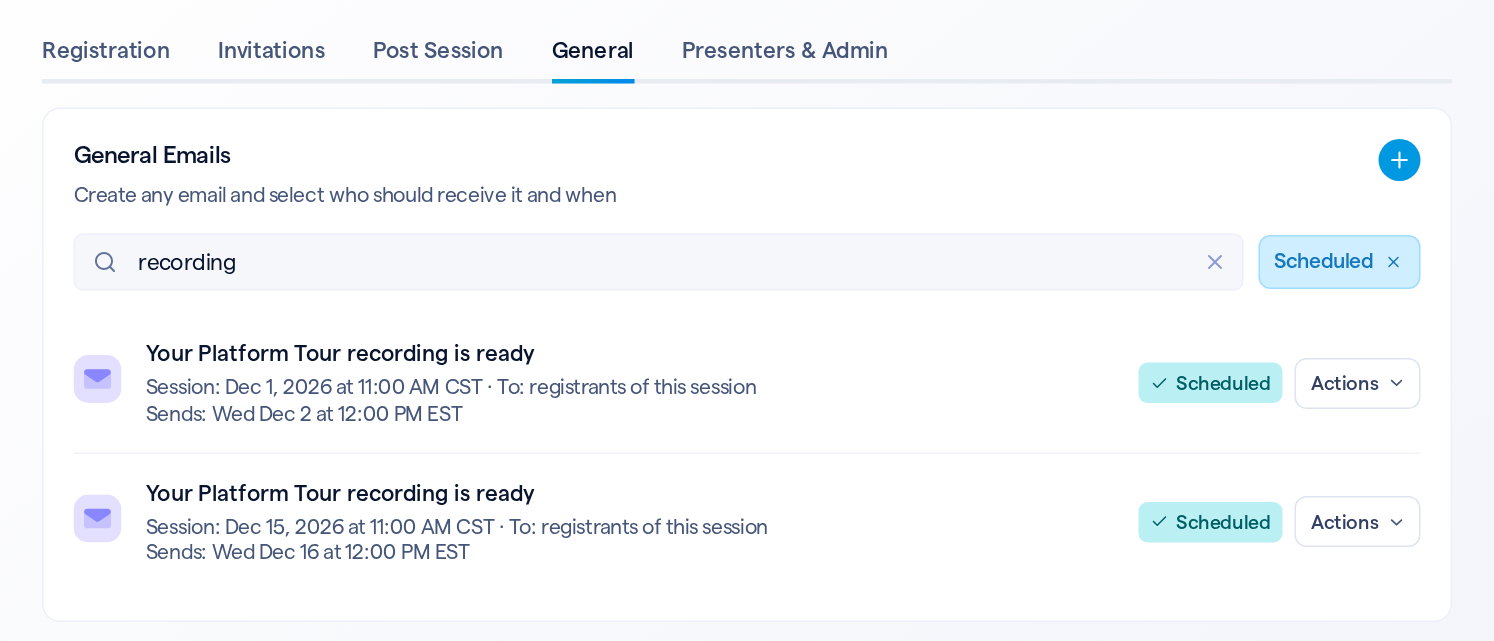
If nothing matches, the list shows No results found. Click Clear Search to clear both the search and the status and bring back the whole list.
Ten emails a page
The list shows ten emails at a time. When there's more than one page, the bottom of the list shows how many emails there are, such as Showing 10 of 29 results, with page numbers and arrows to move through them. A new search or status starts again from page 1.
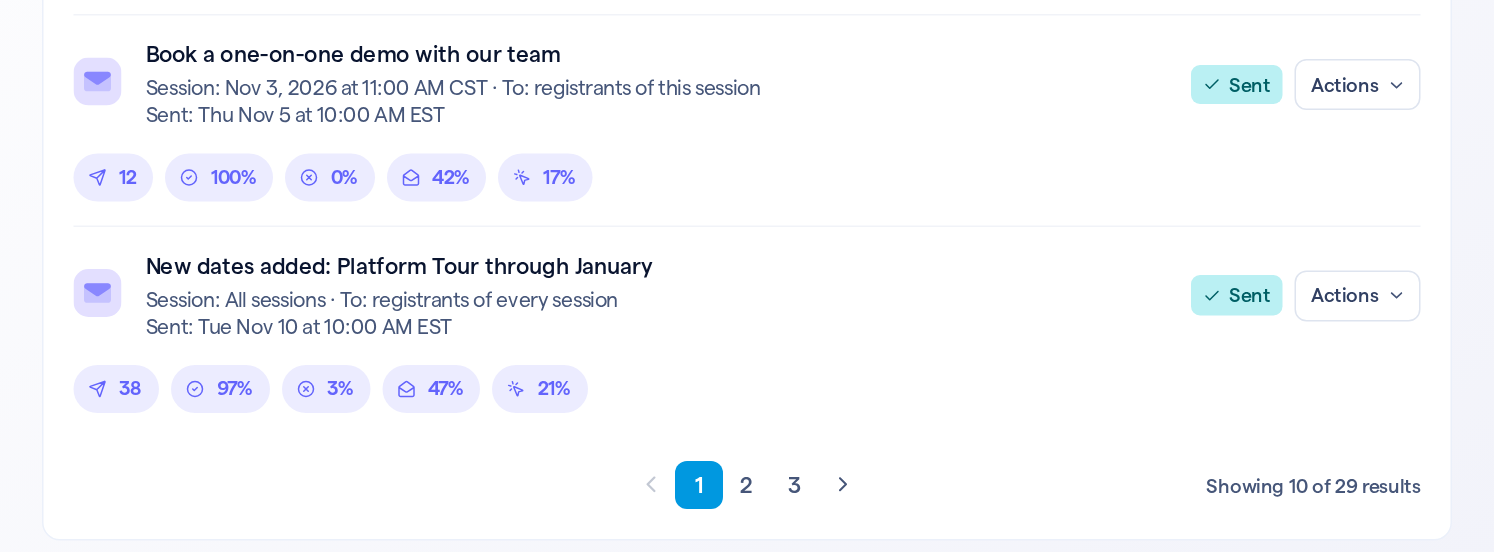
When you come back to the list in the same browser tab, it keeps your search, status and page.
Every session in one list
On a recurring webinar, the main session's General Emails list holds its own General emails and those of every session that hasn't been canceled. Each row names the session the email belongs to and who it goes to, for example:
| A row that says | Is an email for |
|---|---|
| Session: All sessions · To: registrants of every session | The whole recurring webinar |
| Session: Nov 17, 2026 at 11:00 AM CST · To: registrants of this session | That one session |