BigMarker already awards certificates to the people who complete your webinars. Now each certificate can come with a Credly badge: connect your Credly organization, pick a badge on the certificate, and BigMarker issues it as people earn that certificate, ready for them to claim.
A Credly badge with every certificate
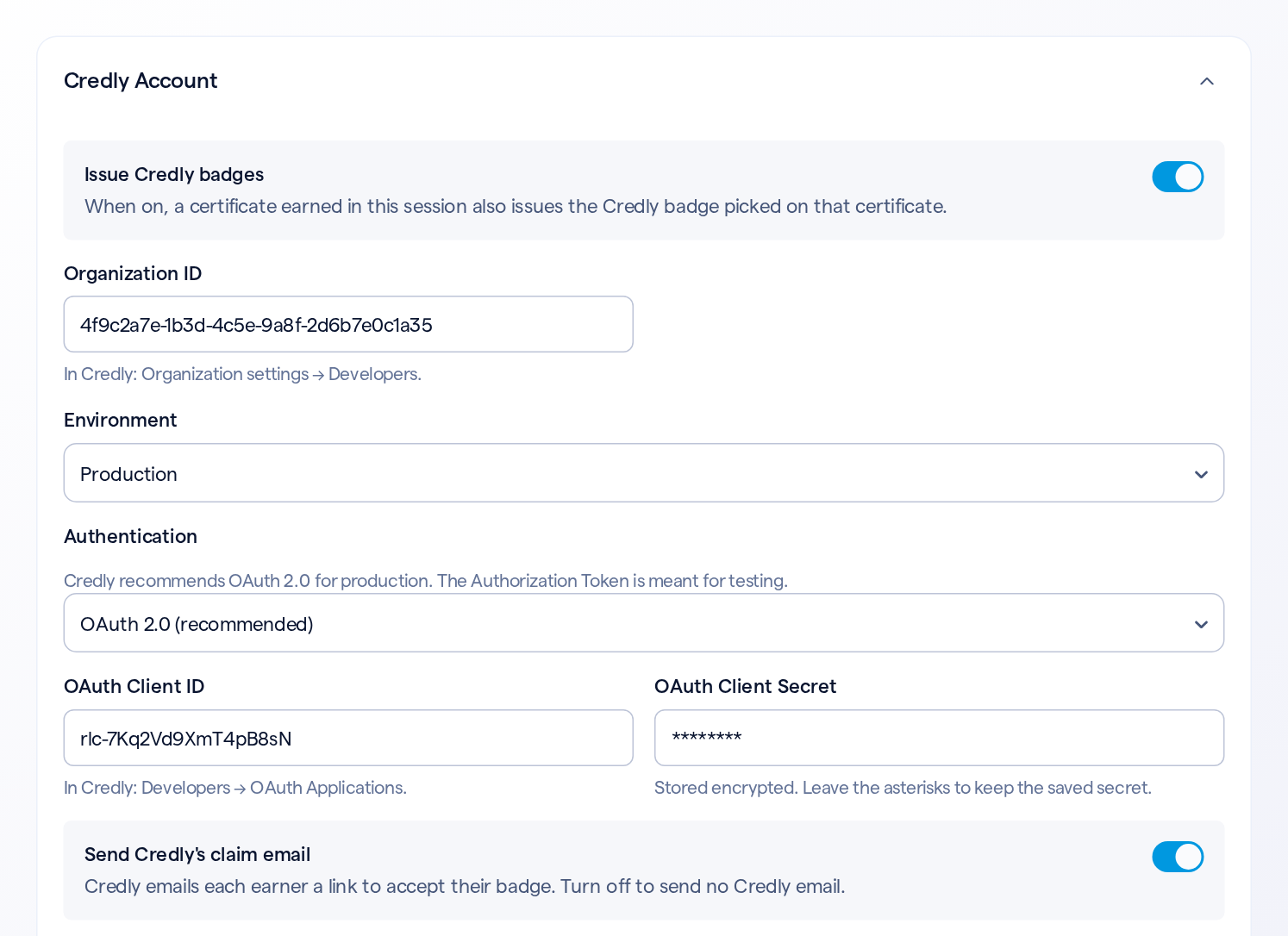
With Issue Credly badges on, each person who earns a certificate is also issued the Credly badge picked on that certificate, in your Credly organization. Credly emails them a link to accept it, unless you turn that email off. Each person is issued a certificate's badge once, and you can follow each badge in the Credly Call Log.
Set it up in three steps
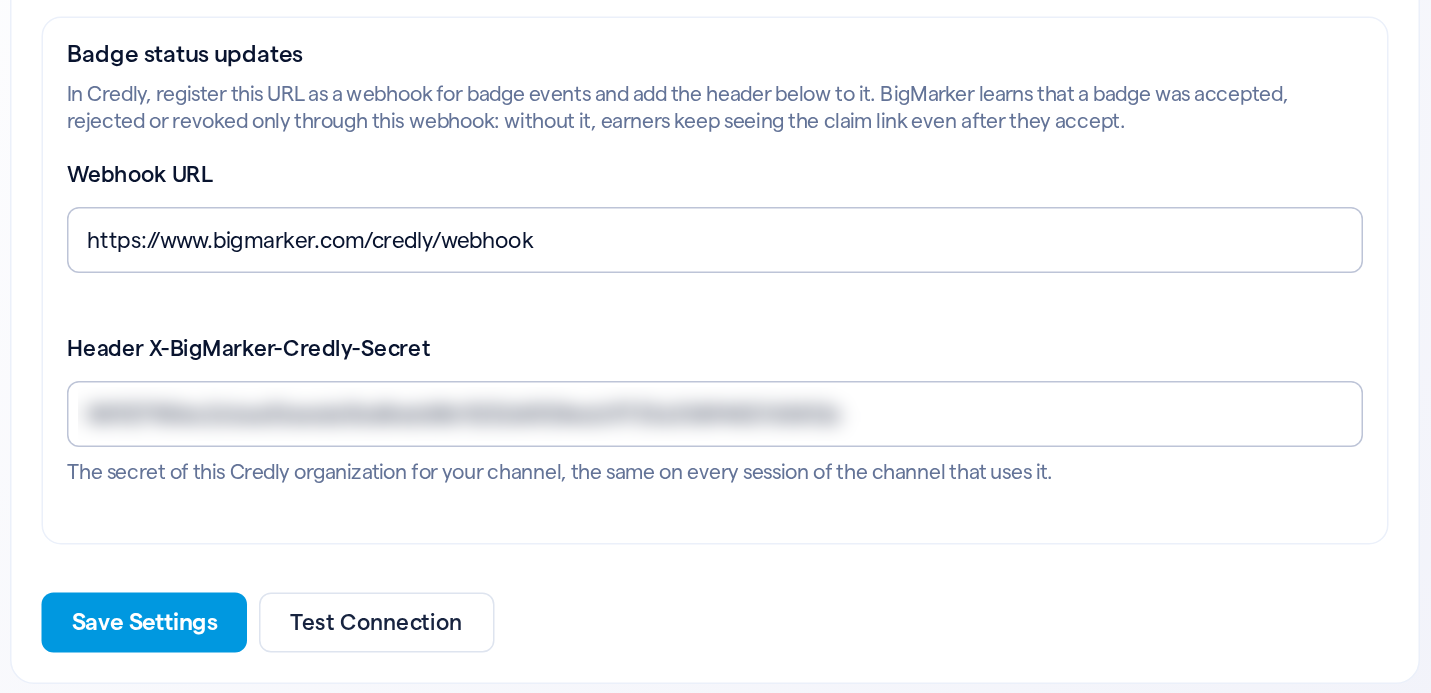
Open your webinar, then Integrations › Credly. The Getting started box shows where each value lives in Credly.

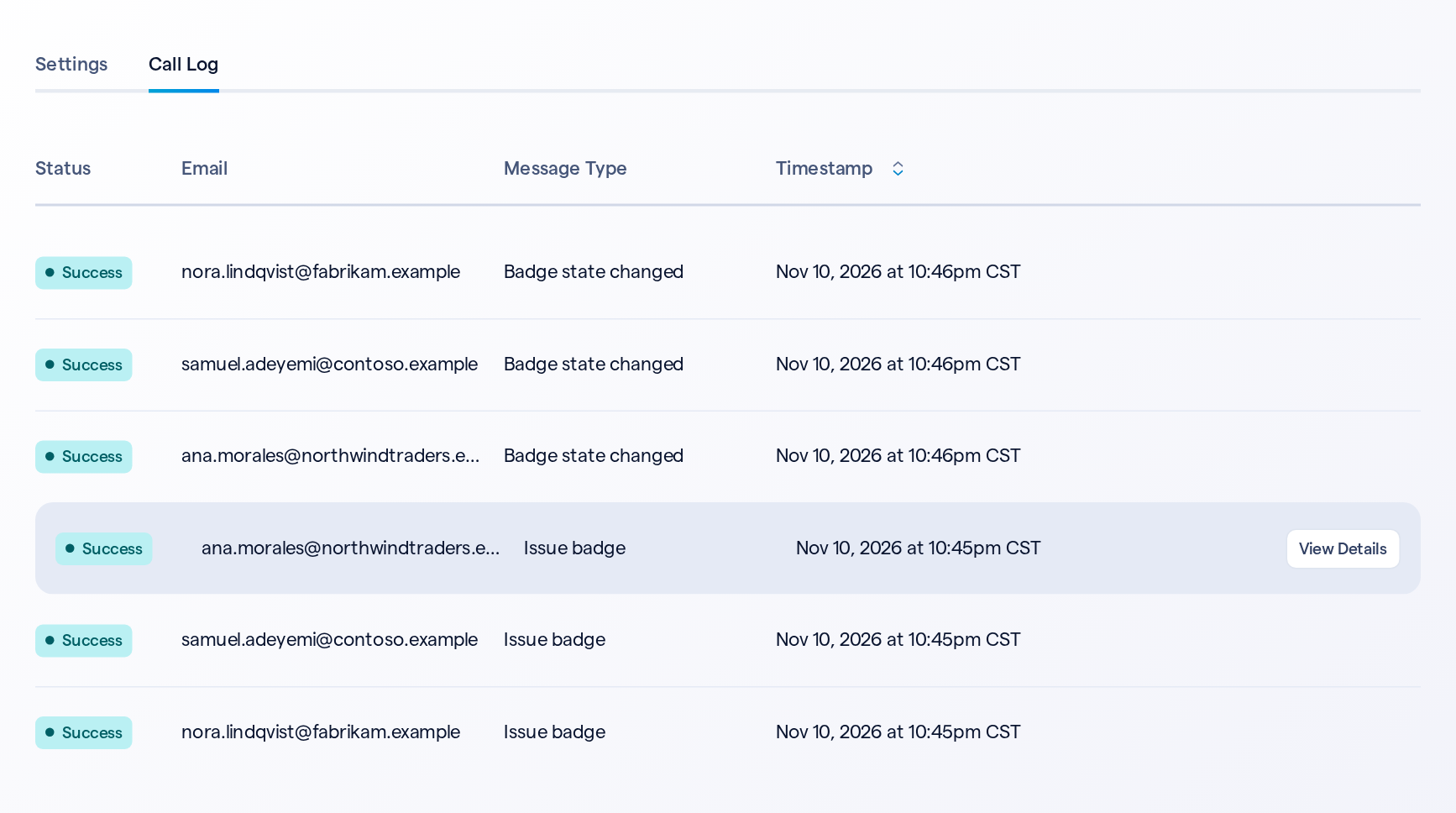
Follow every badge in the Call Log
| When | What happens |
|---|---|
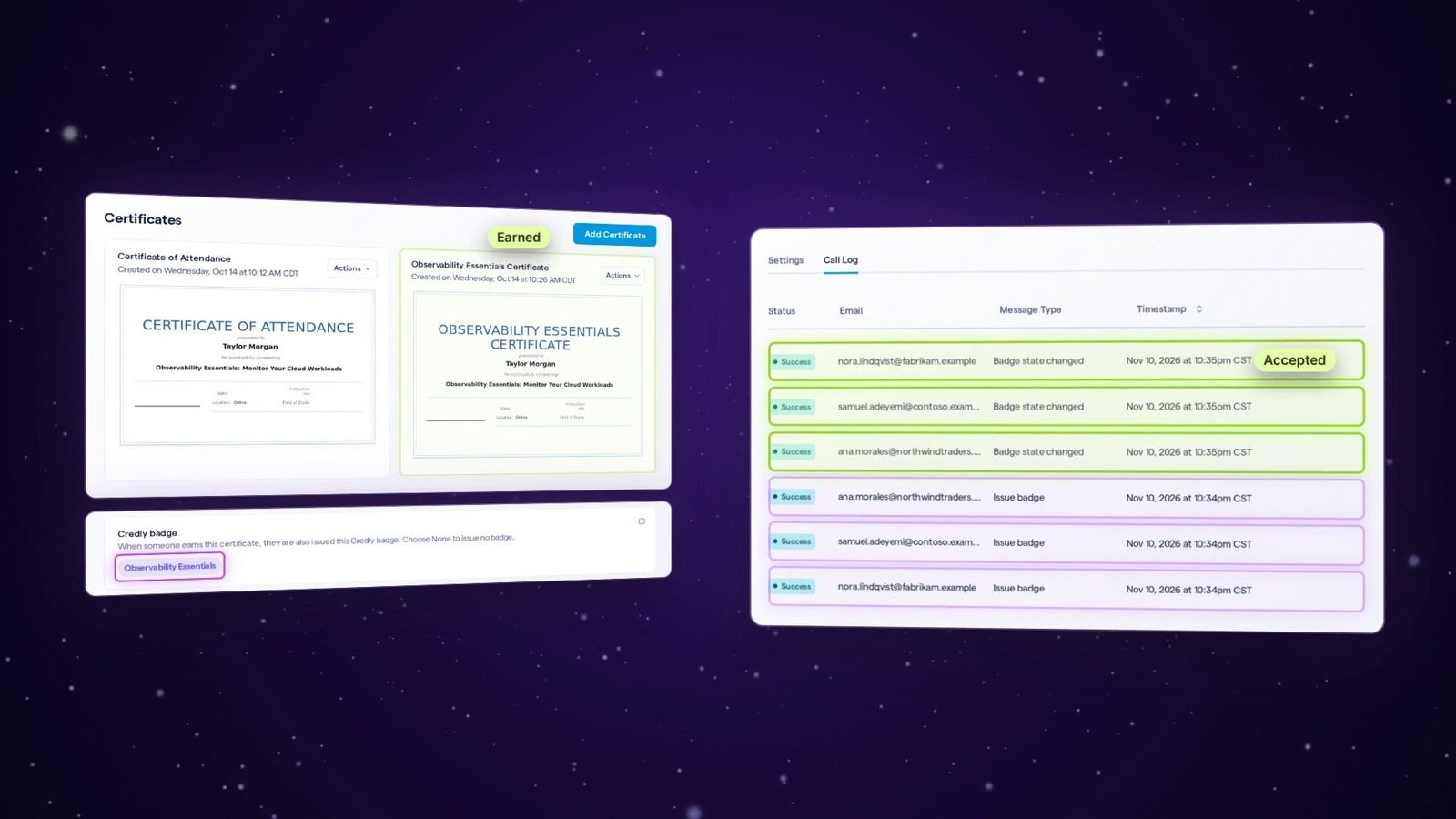
| Someone earns the certificate | BigMarker issues the badge in Credly, and an Issue badge row shows it. It's usually pending until they accept it |
| Send Credly's claim email is on | Credly emails them a link to accept their badge |
| They accept it in Credly | With the webhook registered, a Badge state changed row shows the badge is accepted |
| Credly can't be reached for a moment | BigMarker tries again, a few more times over the next 15 minutes |
Open the Call Log tab on the Credly page. Click View Details on an Issue badge row to see the certificate, the email and the badge's Credly ID.
Good to know
| Details | |
|---|---|
| Off by default | Nothing is issued until you turn on Issue Credly badges and pick a badge on a certificate |
| Once per certificate | Each person is issued a certificate's badge once, even if they earn the certificate again |
| Earned earlier | People who earned a certificate before its badge was picked, or before Credly was on, aren't issued it later |
| Turning it off | Stops new badges. Badges already issued stay in Credly |
| Each webinar or series | Each one connects its own Credly organization. Copying a webinar copies its Credly settings |
| On your own pages | Custom page templates can link each earner to claim their badge, and to the badge itself once they accept it |
| No email address | A badge can't be issued without one. The Call Log shows why |