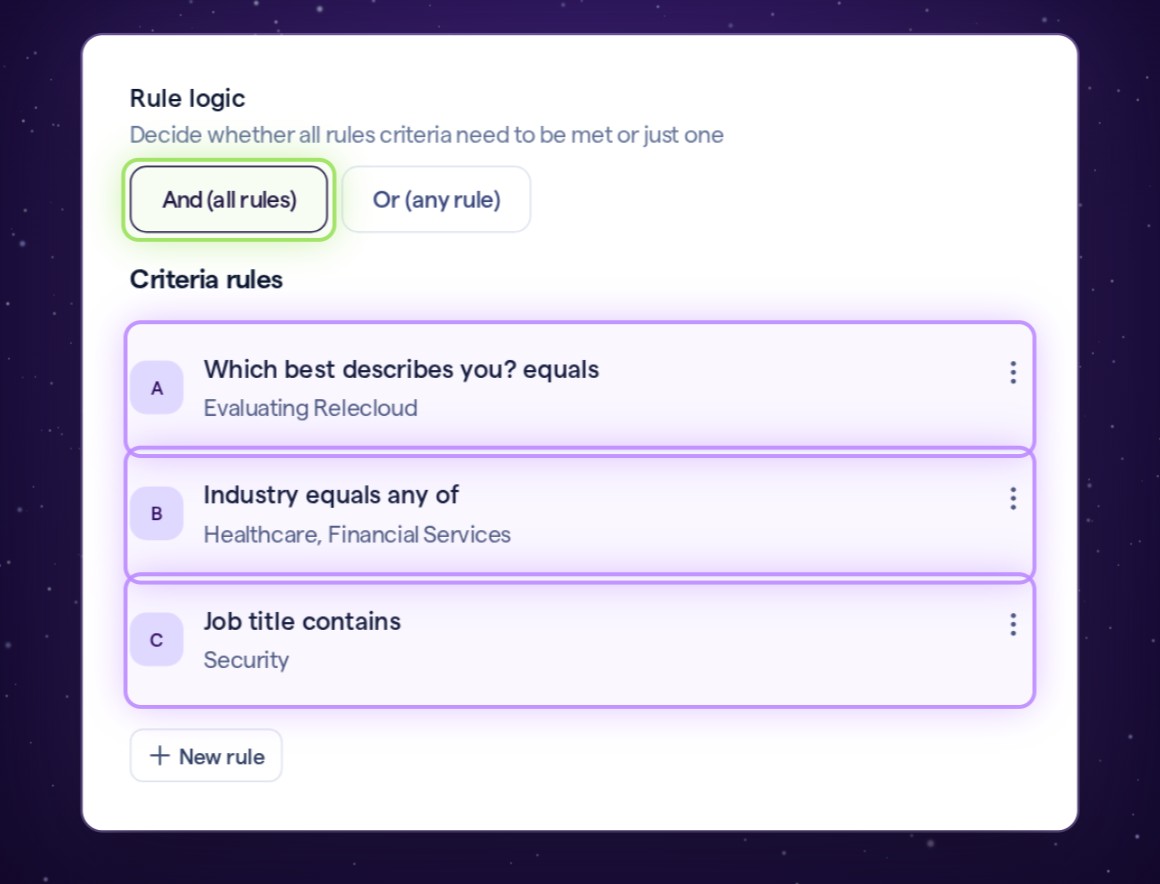
A segment can now hold several rules on your registration fields. Match all of them, any of them, or groups of them, and BigMarker adds every registrant who fits, as they sign up.
One segment, several rules
Segments group your registrants by how they answered your registration form. A segment can now check several fields at once, such as how someone describes themselves, their industry and their job title, and combine them however you need. Use it anywhere you already use segments, like tailored polls, handouts and offers.
Build one in four steps
Open your webinar, then Audience → Segments, and click New segment.
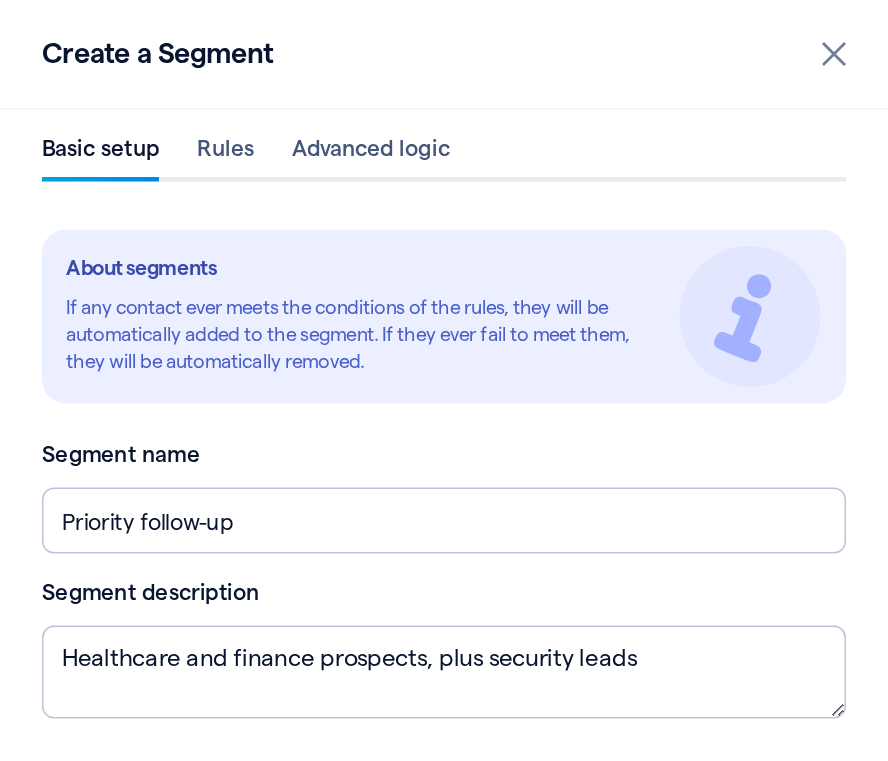
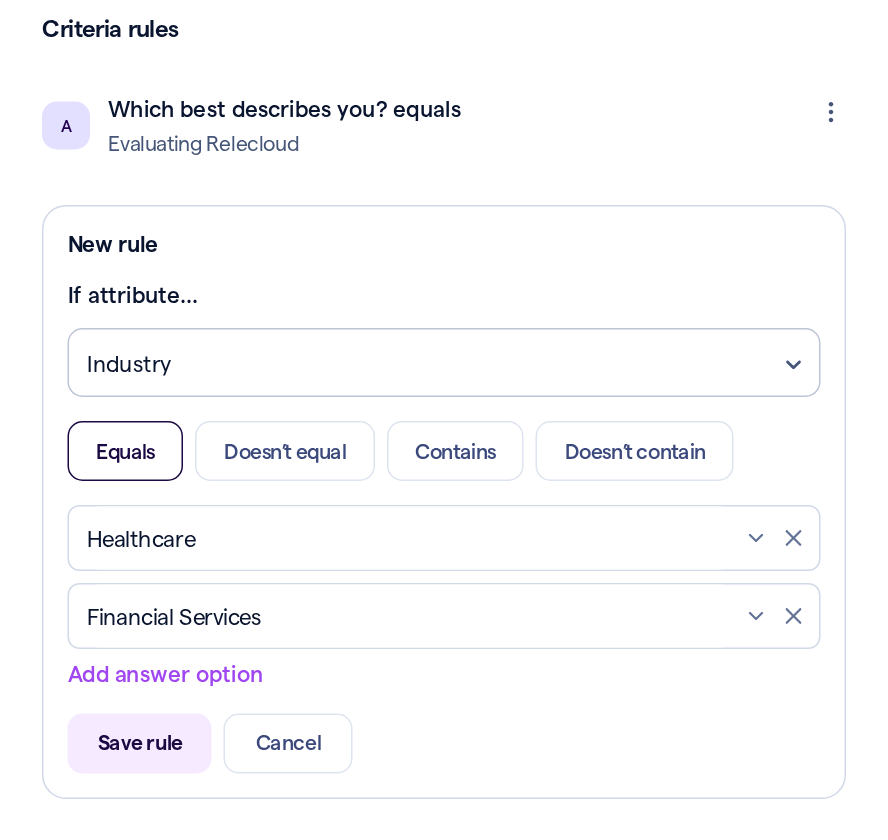
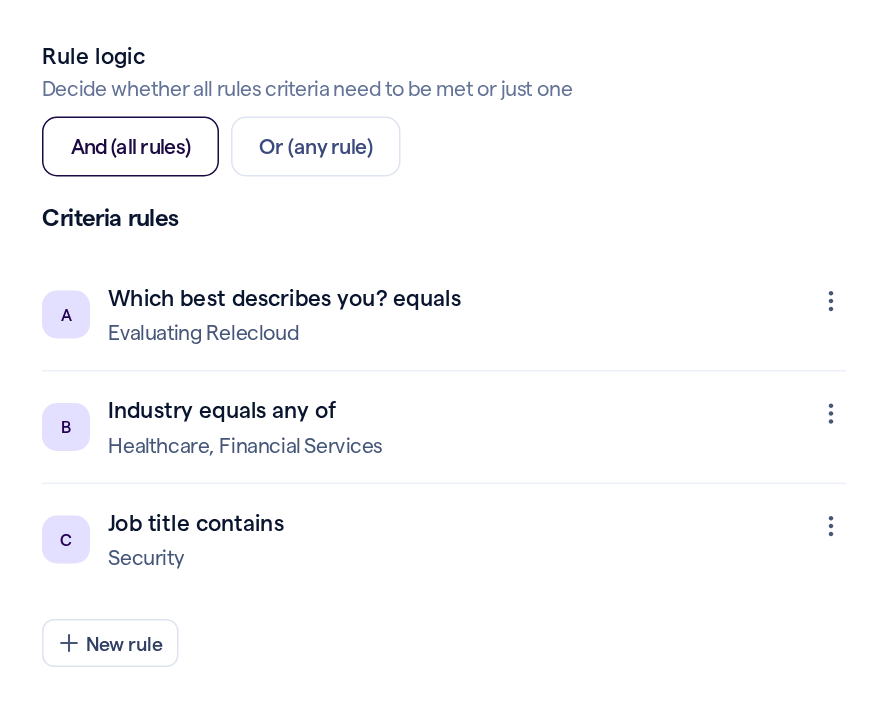
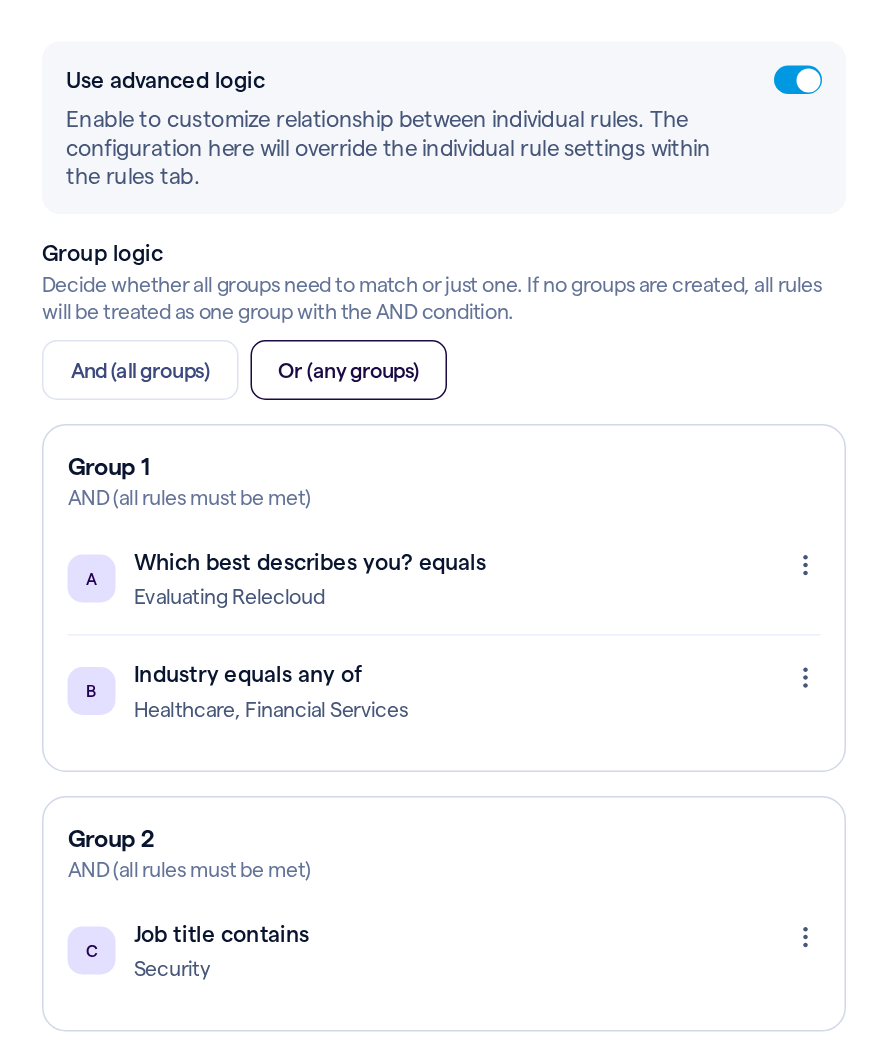
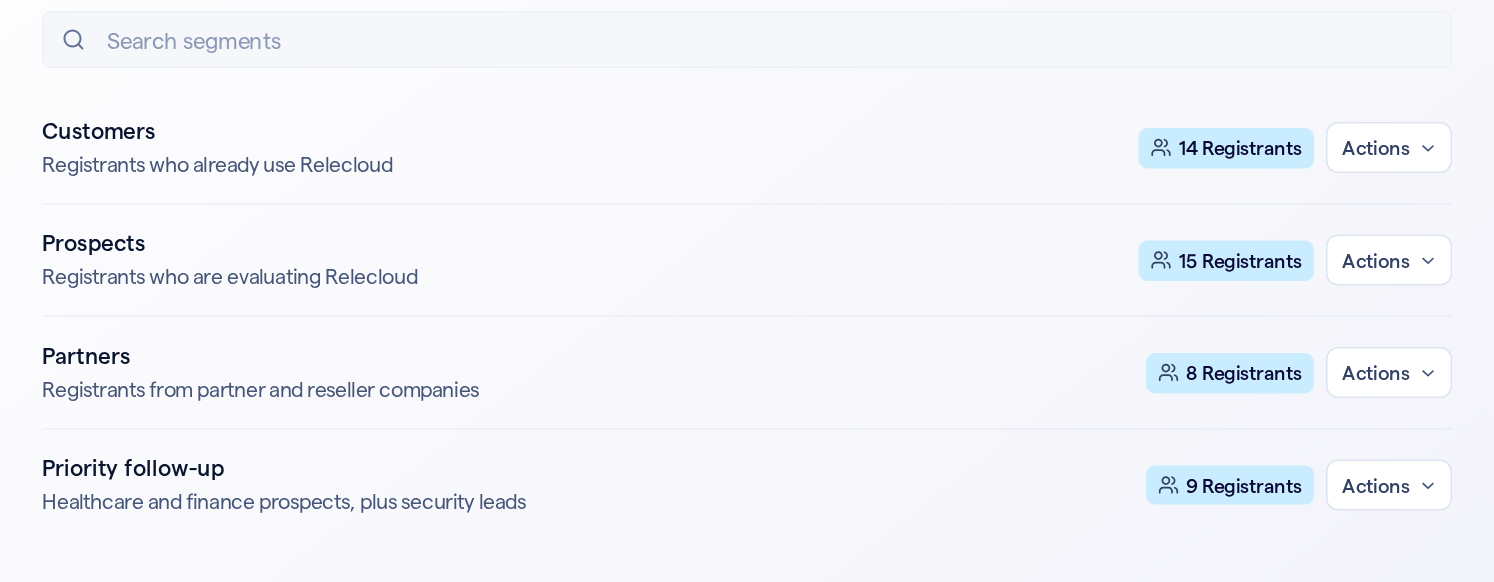
Click Create Segment. The segment appears in the list right away, and BigMarker adds every registrant who matches in the background, usually within a few seconds. Reload the page to see its registrant count.
How each rule matches
| Rule | Includes a registrant when |
|---|---|
| Equals | Their answer is one of the rule's answers |
| Doesn’t equal | Their answer is none of them, including when they left the field blank |
| Contains | Their answer includes one of the rule's answers, like “Security” in “Director of Security” |
| Doesn’t contain | Their answer includes none of them, including when they left the field blank |
Capital letters, and spaces before or after an answer, don't matter. A rule can hold up to 10 answers. With Equals or Contains, any one of them can match. With Doesn’t equal or Doesn’t contain, none of them can.
Send a General Email to a segment
General Emails can now go only to chosen segments too. Open Emails → General, open your email, and click Edit on its Recipients card. Choose who it's for, then Only send to registrants in specific segments, pick one or more under Please select segments, and click Save.
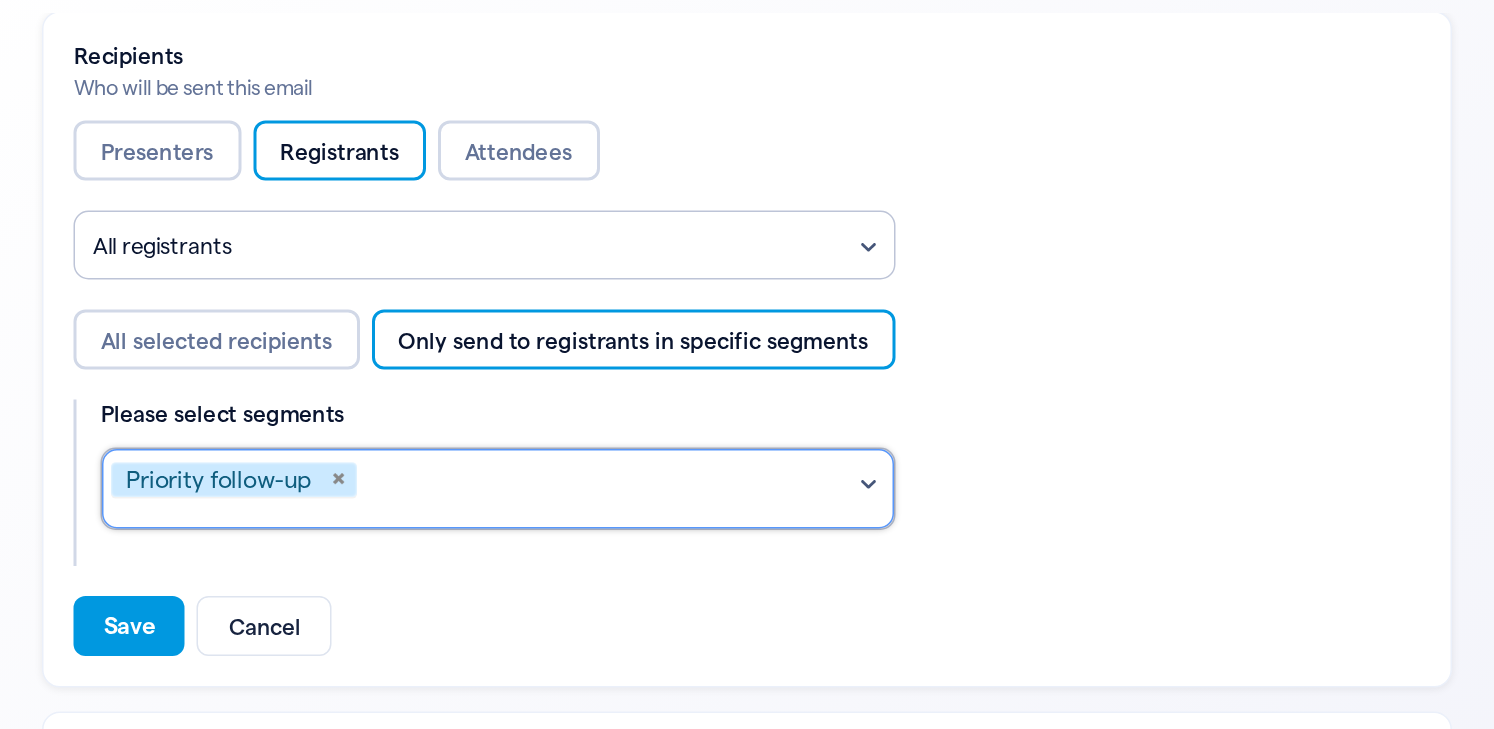
Presenters you've chosen as recipients still get the email. The segment option isn't offered when the email goes to registrants on the waitlist or to incomplete registrants. If the email is already scheduled, schedule it again from Actions › Schedule after changing its recipients.
Good to know
| Details | |
|---|---|
| Who can join | Confirmed registrants of the webinar |
| Staying up to date | New registrations and changed answers are checked as they come in. Editing the rules updates the whole segment. |
| Advanced logic on | Once you add groups, only rules inside a group count, and the form lists any rule left out. With no groups, every rule has to match. |
| Existing segments | They keep working as before until you change their rule |
| Copying the webinar | Its segments and their rules come along |